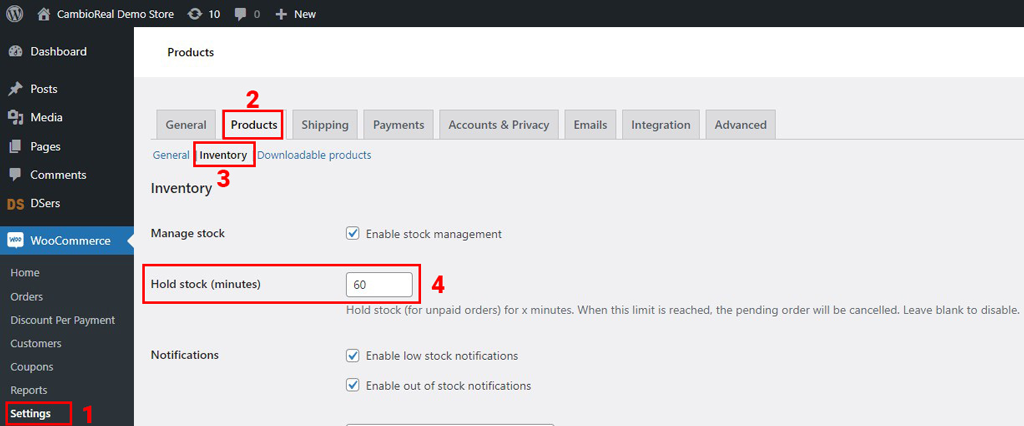
Introduction
Welcome to the CambioReal API documentation. This API enables you to integrate payment processing for international transfers between Brazil and the USA directly into your platform.
API Overview
CambioReal provides four integration methods:
| Method | Description | Use Case |
|---|---|---|
| Advanced Button | HTML form integration | No programming required, shopping cart style |
| Checkout API | Redirect-based checkout | Simple API integration, hosted payment page |
| Direct API | Transparent checkout | Full control over UI, payments on your domain |
| Payout API | Payout integration | B2B integration for money transfers USA → Brazil |
Base URLs
Sandbox (Testing):
https://sandbox.cambioreal.com
Production:
https://www.cambioreal.com
API Versioning
The CambioReal API uses URL path versioning:
| Version | Path | Status |
|---|---|---|
| V1 | /service/v1/checkout/* |
Stable (Checkout API) |
| V2 | /service/v2/checkout/* |
Stable (Direct API) |
| V1 | /service/v1/baas/* |
Stable (Payout API) |
We maintain backward compatibility within major versions. Breaking changes are introduced in new major versions with advance notice.
Authentication
All API requests require authentication using your credentials:
Authorization: Basic base64({AppID}:{AppSecret})
Additionally, requests are validated against your registered IP address or hostname for enhanced security.
See the Authentication section for details on obtaining credentials.
Rate Limiting
To ensure API stability, the following rate limit applies:
| Limit | Window |
|---|---|
| 500 requests | per minute |
When you exceed the rate limit, you'll receive a 429 Too Many Requests response. Implement exponential backoff in your integration.
The 3D Secure session that the 3D Secure Library starts in the customer's browser has its own limits, independent of the one above:
| Limit | Scope | Window |
|---|---|---|
| 60 requests | per customer IP address | per minute |
| 600 requests | per AppID | per minute |
The library reports this limit as a rate_limited error (see Errors and retries).
Rate limit headers included in responses:
X-RateLimit-Limit: 500
X-RateLimit-Remaining: 495
X-RateLimit-Reset: 1672531200
Supported Payment Methods
| Method | V1 (Checkout) | V2 (Direct) | Processing Time |
|---|---|---|---|
| PIX | ✓ | ✓ | Instant |
| Boleto | ✓ | ✓ | 1-3 business days |
| Credit Card | ✓ | ✓ | Instant |
| NuPay | ✓ | - | Instant |
SDKs and Libraries
Official PHP Library
The official PHP library simplifies API integration:
<?php
require 'vendor/autoload.php';

// Configure
\CambioReal\Config::set([
    'appId'     => 'YOUR_APP_ID',
    'appSecret' => 'YOUR_APP_SECRET',
    'testMode'  => true, // false for production
]);

// Create a payment request
$response = \CambioReal\CambioReal::request([
    'amount'       => 100.00,
    'currency'     => 'USD',
    'order_id'     => 'ORDER-123',
    'url_callback' => 'https://yoursite.com/success',
    'url_error'    => 'https://yoursite.com/error',
    'client'       => [
        'name'  => 'John Doe',
        'email' => 'john@example.com',
    ],
]);
See the PHP Library section for complete documentation.
E-commerce Plugins
Ready-to-use plugins for popular platforms:
| Platform | Documentation |
|---|---|
| Magento 1.x | View Documentation |
| Magento 2.x | View Documentation |
| WooCommerce | View Documentation |
Best Practices
Security
- Never log or store raw card data on your servers
- Always use HTTPS in production
- Validate webhooks by querying transaction status
- Rotate credentials periodically
- Whitelist IPs for API access
Error Handling
- Implement retry logic with exponential backoff
- Handle all possible status codes (2xx, 4xx, 5xx)
- Log errors with transaction IDs for debugging
- Display user-friendly error messages
Testing
- Use Sandbox environment for all development
- Test all payment methods before going live
- Test webhook handling with various status changes
- Verify error handling for edge cases
Performance
- Cache exchange rates (refresh every 3-5 minutes)
- Use async processing for webhooks
- Implement idempotency for payment requests
- Set appropriate timeouts (30 seconds recommended)
Webhook Best Practices
When receiving status notifications:
- Respond quickly - Return HTTP 200 within 5 seconds
- Process async - Queue webhook data for background processing
- Verify status - Always query transaction status via API
- Handle duplicates with
event_id- Each notification carries anevent_id(UUID hex, 32 chars). The same event can be delivered more than once on retries — store theevent_idand skip any notification whoseevent_idyou have already processed
// Example webhook handler
public function handleWebhook(Request $request)
{
    // 1. Acknowledge receipt immediately
    http_response_code(200);

    $data = $request->all();

    // 2. Deduplicate by event_id — skip if we have already processed it
    if (WebhookEvent::where('event_id', $data['event_id'] ?? null)->exists()) {
        return response('OK');
    }

    // 3. Queue for processing (the worker should query the transaction
    //    status via API to confirm the authoritative state)
    Queue::push(new ProcessPaymentNotification($data));

    return response('OK');
}
Error Codes
All API errors follow a consistent format:
{
    "status": "error",
    "code": "ERROR_CODE",
    "message": "Human readable message",
    "errors": ["Detailed validation errors"]
}
Common Error Codes
| Code | HTTP Status | Description |
|---|---|---|
EMPTY_APP_ID |
401 | APP ID not provided in request |
EMPTY_APP_SECRET |
401 | APP SECRET not provided in request |
USER_NOT_FOUND |
401 | Invalid credentials |
USER_NOT_ACTIVATED |
401 | Credentials not enabled |
ACCOUNT_NOT_FOUND |
401 | Company account not found |
IP_NOT_MATCH |
403 | Request IP not whitelisted |
HOST_NOT_MATCH |
403 | Request hostname not whitelisted |
BILLING_DISABLED |
403 | API access disabled for company |
Support
For technical support or questions:
- Email: dev@cambioreal.com
- Documentation: developer.cambioreal.com
- Business Dashboard: business.cambioreal.com
Authentication
All CambioReal APIs use HTTP Basic Authentication. This section covers authentication for all API methods: Checkout API, Direct API, and Payout API.
How It Works
Authentication is performed in 3 steps to ensure security:
- The client's APP ID is validated
- The client's APP SECRET is verified against the registration
- The request origin (IP or Hostname) is validated against registered addresses
Authorization Header
Authorization Header Format:
Authorization: Basic base64(APP_ID:APP_SECRET)
Content-Type: application/json
User-Agent: MY-COMPANY/1.0
X-APP-ID: APP_ID
Example:
APP_ID: my_app_id
APP_SECRET: my_secret_key

Concatenated: my_app_id:my_secret_key
Base64 encoded: bXlfYXBwX2lkOm15X3NlY3JldF9rZXk=

Authorization: Basic bXlfYXBwX2lkOm15X3NlY3JldF9rZXk=
All requests must include the Authorization header with Basic Auth:
- Concatenate your
APP_IDandAPP_SECRETwith a colon:APP_ID:APP_SECRET - Encode the result in Base64
- Add the prefix
Basicto the encoded string - Include your
APP_IDin theX-APP-IDrequest header
User-Agent Header
Required request header:
User-Agent: MY-COMPANY/1.0
Example with curl:
curl -H "User-Agent: MY-COMPANY/1.0" \
     -H "Authorization: Basic bXlfYXBwX2lkOm15X3NlY3JldF9rZXk=" \
     -H "X-APP-ID: my_app_id" \
     -H "Content-Type: application/json" \
     https://www.cambioreal.com/service/v2/checkout/request
Example with PHP cURL:
curl_setopt($ch, CURLOPT_USERAGENT, 'MY-COMPANY/1.0');
Example with Guzzle / Laravel Http:
Http::withUserAgent('MY-COMPANY/1.0')
    ->withBasicAuth($appId, $appSecret)
    ->post('https://www.cambioreal.com/service/v2/checkout/request', $payload);
Example with Node.js (axios):
axios.post(url, payload, {
  headers: { 'User-Agent': 'MY-COMPANY/1.0' },
  auth: { username: appId, password: appSecret }
});
All requests must include a User-Agent header. Requests without this header are rejected at the edge with HTTP 403 Forbidden by our web application firewall (WAF), before reaching the API.
Recommended format: <CompanyOrProductName>-<Purpose>/<Version> — for example AcmeCorp-Checkout/2.3 or MyShop-Payouts/1.0.
A descriptive User-Agent helps us:
- Identify and contact you proactively when integration issues arise
- Distinguish your traffic from generic bots in operational logs
- Trace incidents back to a specific integration during debugging
Acquiring Your Credentials
Access CambioReal for business Dashboard
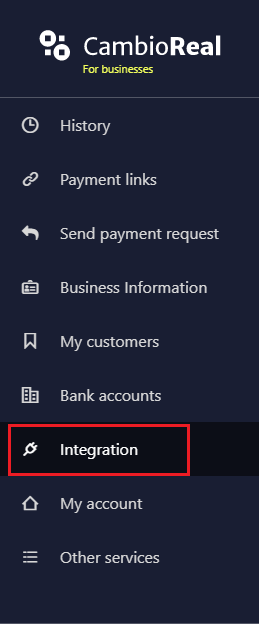
Go to Integration
Click on the Direct API tab
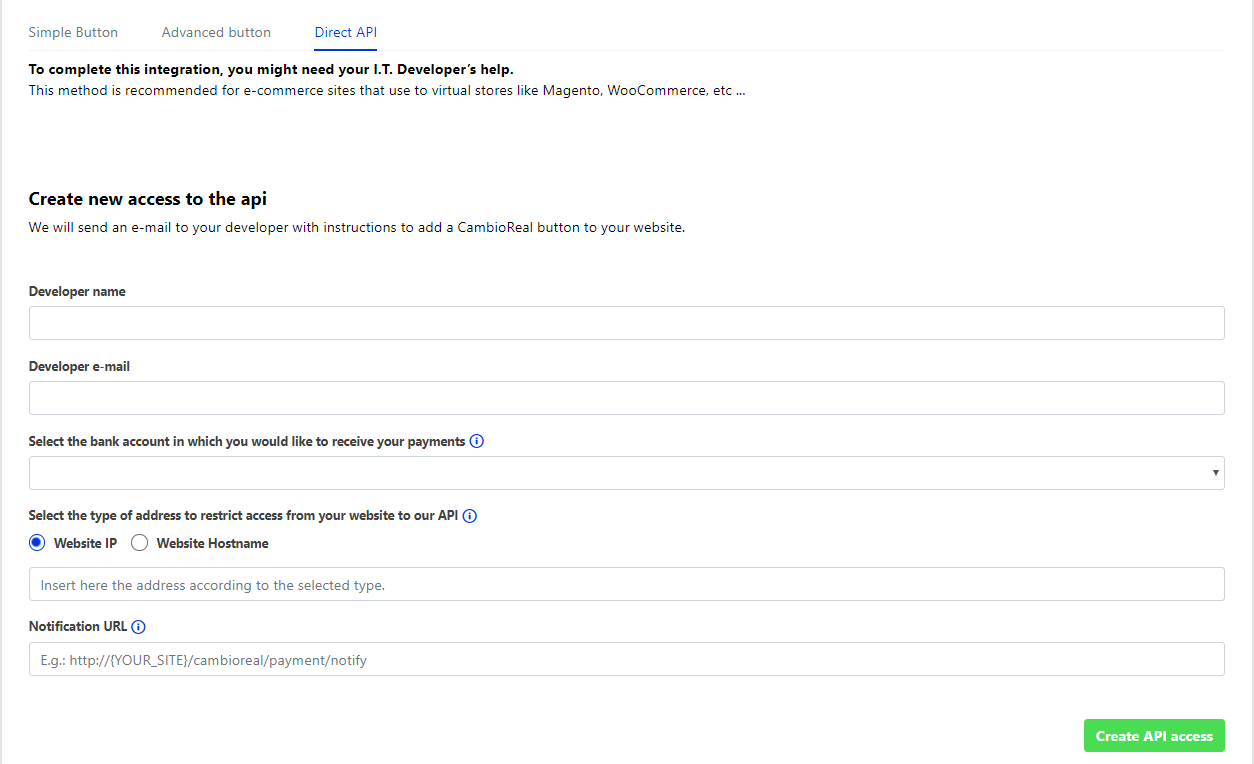
Fill in the fields:
- Developer name: Person responsible for the integration
- Developer e-mail: Email to receive instructions and credentials
- Bank account: Account to receive payments
- Address type: IP or Hostname for access restriction
- Notification URL: Webhook URL for status notifications
Click Create API access
Use the generated APP ID and APP SECRET in your requests
Security Restrictions
| Restriction | Description |
|---|---|
| IP Whitelist | In production, only pre-registered IP addresses are accepted |
| Host Validation | Optional hostname/domain validation |
| HTTPS Required | All production requests must use HTTPS |
Authentication Error Codes
Example of Error Response (401):
{
    "status": "error",
    "code": "EMPTY_APP_ID",
    "message": "Unauthorized",
    "errors": []
}
The possible error codes returned in the authentication process:
| Code | Description |
|---|---|
EMPTY_APP_ID |
APP ID not found in the request |
EMPTY_APP_SECRET |
APP SECRET not found in the request |
USER_NOT_FOUND |
User not found due to invalid credentials |
USER_NOT_ACTIVATED |
Credentials not enabled |
ACCOUNT_NOT_FOUND |
Company account not found |
IP_NOT_MATCH |
Access is blocked for this IP |
HOST_NOT_MATCH |
Access is blocked for the IP of this hostname |
BILLING_DISABLED |
API requests are not allowed for this company |
WITHOUT_PERMISSION |
No permission for the requested API |
Advanced button
This option allows you to direct your client to make a payment using CambioReal with little or no programming needed. We recommend this button for sites that have various types of products and services, which can be accumulated in one purchase. This will work as a shopping cart style checkout. See below:
- Customer chooses products or services in your store.
- The form with the CambioReal's checkout button must be inserted in the shopping cart. The customer is directed, along with the purchase data, to CambioReal's website.
- On CambioReal's website, the customer makes the payment.
- Customer is redirected back to your site, to a purchase completion page.
HTML Form
In the example you can see an HTML form that directs the buyer to the payment page.
HTML form that directs the buyer to the payment page
<!-- START FORM CambioReal -->
<form action="https://www.cambioreal.com/pagamento/v2/carrinho" method="post">
  <!-- Mandatory Fields -->
  <input type="hidden" name="token" value="_YOUR_TOKEN_" />
  <input type="hidden" name="account" value="_YOUR_ACCOUNT_" />
  <input type="hidden" name="url_callback" value="_YOUR_URL_CALLBACK_" />
  <input type="hidden" name="url_error" value="_YOUR_URL_ERROR_" />
  <!-- Optional fields for billing setup -->
  <input type="hidden" name="currency" value="BRL" />
  <input type="hidden" name="take_rates" value="1" />
  <input type="hidden" name="duplicate" value="1" />
  <input type="hidden" name="expiration_days" value="1" />
  <!-- Maximum purchase session time in minutes (default 30min) -->
  <input type="hidden" name="time_session" value="_TIME_" />
  <!-- Payment reference code on your system (optional) -->
  <input type="hidden" name="reference" value="_YOUR_ORDER_REFERENCE_" />
  <!-- Product 1 -->
  <input type="hidden" name="produtos[0][descricao]" value="_NAME_PRODUCT_1_" />
  <input type="hidden" name="produtos[0][valor]" value="_VALUE_PRODUCT_1_" />
  <input type="hidden" name="produtos[0][ref]" value="_REF_PRODUCT_1_" />
  <!-- Product 2,3,.... (optional) -->
  <input type="hidden" name="produtos[1][descricao]" value="test" />
  <input type="hidden" name="produtos[1][valor]" value="80.00" />
  <input type="hidden" name="produtos[1][ref]" value="T1" />
  <!-- Customer details (optional) -->
  <input name="client_name" type="hidden" value="Nome do cliente" />
  <input name="client_email" type="hidden" value="nome@mail.com" />
  <input name="client_cpf" type="hidden" value="XXXXXXXXXXX" />
  <!-- Button style (Please see the documentation for other sizes) -->
  <input
    type="image"
    src="https://www.cambioreal.com/botoes/bnt-cr-105x116.png"
    type="submit"
    alt="Pague com CambioReal"
  />
</form>
<!-- //END FORM CambioReal -->
The payment page address in CambioReal, as shown in the example, is:
Request
POST https://www.cambioreal.com/pagamento/v2/carrinho
Parameters For Form Filling
The parameters available on the Payment via HTML expected by the payment form are listed in the table below.
| Parameter | Type | Required | Description |
|---|---|---|---|
token |
STRING | ✓ | Provided by CambioReal. |
account |
INTEGER | ✓ | CambioReal Account ID that should receive the payment. |
url_callback |
STRING | ✓ | Url of the page where the customer will be redirected at the end of the payment. |
url_error |
STRING | ✓ | Url of the page to which the client will be directed in case of an error in the shopping cart. |
currency |
STRING | ✘ | Currency for the calculation of the payment request. |
take_rates |
INTEGER | ✘ | Assumes remittance fees, payment method cost and IOF. |
duplicate |
INTEGER | ✘ | Allow to generate another transaction after expiration. |
expiration_days |
INTEGER | ✘ | Number of days the payment request will be valid to. After this period, it's not possible to make the payment. |
time_session |
INTEGER | ✘ | Maximum time per purchase session. Set at 30 minutes. |
reference |
STRING | ✘ | Payment reference code in your system, this reference must be unique. |
produtos[n][descricao] |
STRING | ✓ | Item / Product Description. |
produtos[n][base_value] |
FLOAT | ✓ | Product base amount. |
produtos[n][valor] |
FLOAT | ✓ | Product total amount Ex.: (qty * base_value). |
produtos[n][qty] |
INTEGER | ✘ | Product quantity. |
produtos[n][ref] |
STRING | ✘ | Product reference (required for card payments). |
produtos[n][category] |
STRING | ✘ | Product category (required for retail companies). |
produtos[n][brand] |
STRING | ✘ | Product brand (required for retail companies). |
produtos[n][sku] |
STRING | ✘ | Product SKU (required for retail companies). |
client_name |
STRING | ✘ | Customer's full name. |
client_email |
STRING | ✘ | Customer email. |
client_cpf |
INTEGER | ✘ | Customer's CPF. |
client_nasc |
STRING | ✘ | Customer's date of birth (YYYY-MM-DD). |
client_phone1 |
STRING | ✘ | Customer's mobile phone with country and area code. E.g. +55 (11) 12345-1234 or 5511123451234. |
client_zip |
STRING | ✘ | Customer zip. |
client_estado |
STRING | ✘ | Customer state. |
client_cidade |
STRING | ✘ | Customer city. |
client_district |
STRING | ✘ | Customer district. |
client_endereco |
STRING | ✘ | Customer street name. |
client_number |
STRING | ✘ | Customer address number. |
Authentication
The token and account inputs are sent to the developer's email along with this documentation, in case of loss, request the company to resend the e-mail.
Redirection
End of session
When the client makes a payment on CambioReal's checkout environment, it will be redirected to your site through the input url_callback. You can configure to which page it will be. It can also be used to transmit the ID of the purchase for conversion record.
Example
<input
  type="hidden"
  name="url_callback"
  value="http://www.seudominio.com/success?id=2"
/>
Errors
When the information passed by the HTML form is invalid, the client is redirected to the site.
Use the url_error input to set the error page on your site, Note: If your site does not have a specific error page, set the url to your shopping cart
Possible errors:
- Session expired
- Invalid information in HTML form
- Total value less than USD 50.00
Reference
Use the input reference to enter the order reference code to your system. This will be very useful if you want to integrate the backend of your e-commerce with CambioReal, to use our API of query of the status of transactions.
Each transaction generated may be related to a sequential number chosen accordingly to the company's preference, such as the transaction ID or order number.
The use of this parameter is exclusively for internal use of the company. The client does not have access to this information at any point in the checkout process.
The use of this parameter is optional and can be viewed on the transaction details, which can be accessed in the company's account panel, on CambioReal's website.
Configuration
The configuration fields are all optional, some have default values and others have global configuration on the Company Dashboard, in the online account menu.
Base Currency
Use the input currency to set the base currency to perform the payment request calculations.
Default value: USD
Available values: USD, BRL
Take Charges
Use the take_rates input to enable or disable the charging of fees, payment method costs and IOF from the company. If enabled, the company assumes the fees and they will not be passed on to the customer.
Default value: Defined in the Company Panel
Available values: 0, 1
Duplicate
Use the input duplicate to enable or disable the duplicate issue of expired transactions.
Default value: Defined in the Company Panel
Available values: 0, 1
Expiration
Use the expiration_days input to set the total in days of billing time, after the expiration is not
possible to generate another transaction. To use this option, the (duplicate) method must be enabled.
Default value: 0
Available values: from 0 to 10
Session Time
When customers are directed to the CambioReal website, by default, they have 30 minutes to generate the transaction, if they exceed this time, the client will be redirected to url url_error defined above.
Some e-commerces work with time-limited promotions and end-of-stock products, in which they limit and decrease the client's session time to avoid that the client makes a payment of product that has been sold out during a long session, so it is recommended to shorten this time.
Products
It must be informed at least one product or service in the HTML form and the sum of the total value of the products must exceed USD 50.00.
To send more than one product, use the following form:
<!-- Produto 1 -->
<input type="hidden" name="produtos[0][descricao]" value="_NAME_PRODUCT_1_" />
<input type="hidden" name="produtos[0][valor]" value="_VALUE_PRODUCT_1_" />
<input type="hidden" name="produtos[0][ref]" value="_REF_PRODUCT_1_" />
<!-- Produto 2 -->
<input type="hidden" name="produtos[1][descricao]" value="_NAME_PRODUCT_2_" />
<input type="hidden" name="produtos[1][valor]" value="_VALUE_PRODUCT_2_" />
<input type="hidden" name="produtos[1][ref]" value="_REF_PRODUCT_2_" />
<!-- Produto 3 -->
<input type="hidden" name="produtos[2][descricao]" value="_NAME_PRODUCT_3_" />
<input type="hidden" name="produtos[2][valor]" value="_VALUE_PRODUCT_3_" />
<input type="hidden" name="produtos[2][ref]" value="_REF_PRODUCT_3_" />
The data of each product are composed by 3 items, they are:
Description:
Name of the product or service offered.
Value:
Partial amount of this item charged.
Reference (optional):
Use this field if you want to add more details to your description. For example, the parcel number, a number of a product / service, customer account.
Customer Details
Thinking about the convenience of your clients, we suggest to send their details, so they won't have to re-enter this information on the payment screen.
Button
You can change the button to any other element of your preference, as long as it makes the submission of the HTML form.
CambioReal also offers some ready-made button options for submitting the form and they are listed in the table below:
| BUTTON | SIZE | LINK |
|---|---|---|
 |
95 x 85 pixels | https://www.cambioreal.com/botoes/bnt-cr-95x85.png |
 |
105 x 116 pixels | https://www.cambioreal.com/botoes/bnt-cr-105x116.png |
 |
155 x 51 pixels | https://www.cambioreal.com/botoes/bnt-cr-155x51.png |
 |
203 x 37 pixels | https://www.cambioreal.com/botoes/bnt-cr-203x37.png |
 |
523 x 148 pixels | https://www.cambioreal.com/botoes/bnt-cr-523x148.png |
Checkout API
Base URL for Sandbox:
https://sandbox.cambioreal.com
Base URL for Production:
https://www.cambioreal.com
CambioReal's Checkout API works with any kind of e-commerce, by connecting with your shopping cart. When a customer chooses CambioReal's payment method, it will be redirected to the external checkout where very quickly it can complete the payment. Once the customer has completed all fields and successfully paid the order,it will be redirected back to your store.
With the Checkout API, you can receive payment notifications (Webhook) of when a transaction changes status and query its data.
This section's content:
- Response Layout
- Payment Request
- 3D Secure
- Subscription
- Monthly Payment
- Schedule Payment
- Get Transaction Data
- Cancel Payment Request
- Amount Calculator
- Webhooks (Status Notification)
Response Layout
All requests have four fields in common in the returned responses:
Example of Success Response:
{
    "status": "success",
    "message": null,
    "errors": null,
    "data": {
        ...
    }
}
Example of Error Response:
{
    "status": "error",
    "message": "Message error example.",
    "errors": [
        "Error example 1 in field x.",
        ...
    ],
    "data": null,
}
Response fields:
| Field | Type | Description |
|---|---|---|
status |
STRING | Request status can be either "success" or "error". |
message |
STRING | Request return message, usually used to describe an error return. |
errors |
ARRAY | Array of validation errors. |
data |
OBJECT | Object containing the request return data as the details of a transaction. |
Payment Request
This method will create a payment request in our system and return the redirect URL for your customer to access our checkout where they will make the payment. In this step you should also enter the return URL to your site (url_callback field) where the customer will be directed back after payment.
Request
Example Request:
{
    "order_id": "123456789",
    "amount": 1004.00,
    "currency": "USD",
    "client": {
        "name": "John Doe",
        "email": "john.doe@gmail.com",
        "phone_number": "+1 (123) 983-3451"
    },
    "duplicate": 0,
    "take_rates": 0,
    "url_callback": "https://my-website.com/cambioreal/success",
    "url_error": "https://my-website.com/cambioreal/error",
    "products": [
        {
            "descricao": "iPhone 14 Pro",
            "base_value": 999.00,
            "valor": 999.00,
            "qty": 1,
            "ref": "iphone-internal-ref",
            "category": "iPhone",
            "brand": "Apple",
            "sku": "APH14PRO8173812739"
        },
        {
            "descricao": "Shipping",
            "base_value": 10.00,
            "valor": 10.00,
            "ref": "Priority Mail International"
        },
        {
            "descricao": "Bonus",
            "base_value": -5.00,
            "valor": -5.00,
            "ref": "Discount CODE123"
        }
    ]
}
POST /service/v1/checkout/request
Fields used in the request:
| Field | Type | Required | Description |
|---|---|---|---|
amount |
FLOAT | ✓ | Total payment request amount. |
client |
OBJECT | ✓ | Customer's personal data. See customer object below. |
currency |
CHAR(3) | ✘ | Currency for the calculation of the payment request (USD or BRL). Default value is USD. |
due_date |
INTEGER | ✘ | Number of days the payment request will be valid to. After this period, it's not possible to make the payment. |
duplicate |
INTEGER | ✘ | Allow to generate another transaction after expiration (accept 0 or 1). |
order_id |
STRING | ✘ | Payment reference code in your system, this reference must be unique. |
products |
ARRAY | ✘ | Array of products included in the order. See product object below. |
take_rates |
INTEGER | ✘ | Assumes remittance fees, payment method cost and IOF (accept 0 or 1). The default value is set in the company account or 0. |
url_callback |
STRING | ✓ | Url of the page where the customer will be redirected at the end of the payment. |
url_error |
STRING | ✓ | Url of the page to which the client will be directed in case of an error in the shopping cart. |
Customer object:
| Field | Type | Required | Description |
|---|---|---|---|
name |
STRING | ✓ | Customer's full name. |
email |
STRING | ✓ | Customer email. |
cpf |
STRING | ✘ | Customer's CPF. |
birth |
STRING | ✘ | Customer's date of birth (YYYY-MM-DD). |
phone1 |
STRING | ✘ | Customer's mobile phone with country and area code. E.g. +55 (11) 12345-1234 or 5511123451234. |
address |
STRING | ✘ | Customer billing address object. |
shipping_address |
STRING | ✘ | Customer shipping address object. |
Customer billing/shipping address object:
| Field | Type | Required | Description |
|---|---|---|---|
state |
CHAR(2) | ✓ | Customer state. |
city |
STRING | ✓ | Customer city. |
zip_code |
STRING | ✓ | Customer zip. |
district |
STRING | ✓ | Customer district. |
street |
STRING | ✓ | Customer street name. |
number |
STRING | ✓ | Customer address number. |
Product object:
| Field | Type | Required | Description |
|---|---|---|---|
descricao |
STRING | ✘ | Item / Product Description. |
base_value |
FLOAT | ✘ | Product base amount. |
valor |
FLOAT | ✘ | Product total amount Ex.: (qty * base_value). |
qty |
INTEGER | ✘ | Product quantity. |
ref |
STRING | ✘ | Product reference (required for card payments). |
category |
STRING | ✘ | Product category (required for retail companies). |
brand |
STRING | ✘ | Product brand (required for retail companies). |
sku |
STRING | ✘ | Product SKU (required for retail companies). |
Response
Example Response:
{
    "status": "success",
    "data": {
        "id": 530,
        "token": "e82b97cf652e91344f86510907b32daa5df8f13fdda41",
        "code": "BRSL12171530",
        "expires_at": null,
        "created_at": "2019-12-17 12:16:15",
        "checkout": "https://sandbox.cambioreal.com/pagamento/solicitacao/e82b97cf652e91344f86510907b32daa5df8f13fdda41"
    }
}
Payment Request response fields:
| Field | Type | Description |
|---|---|---|
data[id] |
INTEGER | Unique payment request identification number. |
data[token] |
STRING | Payment request identification token. |
data[code] |
STRING | Payment request identification code. |
data[expires_at] |
DATETIME | Expiration date of the payment request, when applicable. |
data[created_at] |
DATETIME | Payment request creation date. |
data[checkout] |
STRING | Redirect URL for payment request checkout. |
3D Secure
3D Secure (3DS) asks the card issuer to authenticate the cardholder before the charge. Most of the time the issuer approves silently, and your customer notices nothing. Sometimes it asks them to confirm the purchase in a window from their bank, for example with a one-time code.
3D Secure is optional and disabled by default. To use it, ask your account manager to enable 3D Secure for your checkout. This is a separate setting from the Direct API 3D Secure: enabling one does not enable the other.
Once enabled, the checkout runs the authentication on its own page, before the charge. There is nothing to integrate on your side.
| Your account | Card brand | What happens |
|---|---|---|
| 3D Secure enabled | Visa, Mastercard or Elo | The checkout authenticates the card with 3D Secure before the charge. |
| 3D Secure enabled | Any other brand (e.g. American Express, Hipercard) | The payment proceeds without 3D Secure, so without the liability shift: if the cardholder disputes the payment, the chargeback is not shifted to the card issuer. |
| 3D Secure disabled (default) | Any | The payment proceeds without 3D Secure. |
The brand is checked on our side from the card itself.
Subscription
This method will create a payment request in our system and return the details of the subscription that will be automatically processed by our system, generating a recurring charge at the configured billing frequency. Please note that credit cards are the only accepted method of payment.
Supported billing frequencies:
| Value | Description |
|---|---|
week |
Charged every 7 days |
month |
Charged every month (default) |
quarter |
Charged every 3 months |
semester |
Charged every 6 months |
year |
Charged every 12 months |
Request
Example Request:
{
    "order_id": "123456789",
    "amount": 1004.00,
    "currency": "USD",
    "client": {
        "name": "John Doe",
        "email": "john.doe@gmail.com",
        "phone_number": "+1 (123) 983-3451"
    },
    "duplicate": 0,
    "take_rates": 0,
    "url_callback": "https://my-website.com/cambioreal/success",
    "url_error": "https://my-website.com/cambioreal/error",
    "products": [
        {
            "descricao": "iPhone 14 Pro",
            "base_value": 999.00,
            "valor": 999.00,
            "qty": 1,
            "ref": "iphone-internal-ref",
            "category": "iPhone",
            "brand": "Apple",
            "sku": "APH14PRO8173812739"
        },
        {
            "descricao": "Shipping",
            "base_value": 10.00,
            "valor": 10.00,
            "ref": "Priority Mail International"
        },
        {
            "descricao": "Bonus",
            "base_value": -5.00,
            "valor": -5.00,
            "ref": "Discount CODE123"
        }
    ],
    "schedule": {
        "billing_type": "subscription",
        "billing_frequency": "month",
        "send_at": "2024-08-15 16:02:50",
        "free_trial_days": 7
    }
}
POST /service/v1/checkout/request
Fields used in the request:
| Field | Type | Required | Description |
|---|---|---|---|
amount |
FLOAT | ✓ | Total payment request amount. |
client |
OBJECT | ✓ | Customer's personal data. See customer object below. |
currency |
CHAR(3) | ✘ | Currency for the calculation of the payment request (USD or BRL). Default value is USD. |
due_date |
INTEGER | ✘ | Number of days the payment request will be valid to. After this period, it's not possible to make the payment. |
duplicate |
INTEGER | ✘ | Allow to generate another transaction after expiration (accept 0 or 1). |
order_id |
STRING | ✘ | Payment reference code in your system, this reference must be unique. |
products |
ARRAY | ✘ | Array of products included in the order. See product object below. |
take_rates |
INTEGER | ✘ | Assumes remittance fees, payment method cost and IOF (accept 0 or 1). The default value is set in the company account or 0. If currency is BRL, the take_rates needs to be 1 |
url_callback |
STRING | ✓ | Url of the page where the customer will be redirected at the end of the payment. |
url_error |
STRING | ✓ | Url of the page to which the client will be directed in case of an error in the shopping cart. |
schedule |
OBJECT | ✓ | Schedule's data. See schedule object. |
Schedule object:
| Field | Type | Required | Description |
|---|---|---|---|
billing_type |
STRING | ✓ | Billing type. Must be 'subscription'. |
billing_frequency |
STRING | ✘ | How often the customer is charged. Accepted values: week, month, quarter, semester, year. Defaults to month. |
send_at |
STRING | ✓ | The date and time of the first charge (format: YYYY-MM-DD HH:mm:ss). |
free_trial_days |
INTEGER | ✘ | Number of days the service is offered for free before billing. |
Customer object:
| Field | Type | Required | Description |
|---|---|---|---|
name |
STRING | ✓ | Customer's full name. |
email |
STRING | ✓ | Customer email. |
cpf |
STRING | ✘ | Customer's CPF. |
birth |
STRING | ✘ | Customer's date of birth (YYYY-MM-DD). |
phone1 |
STRING | ✘ | Customer's mobile phone with country and area code. E.g. +55 (11) 12345-1234 or 5511123451234. |
address |
STRING | ✘ | Customer billing address object. |
shipping_address |
STRING | ✘ | Customer shipping address object. |
Customer billing/shipping address object:
| Field | Type | Required | Description |
|---|---|---|---|
state |
CHAR(2) | ✓ | Customer state. |
city |
STRING | ✓ | Customer city. |
zip_code |
STRING | ✓ | Customer zip. |
district |
STRING | ✓ | Customer district. |
street |
STRING | ✓ | Customer street name. |
number |
STRING | ✓ | Customer address number. |
Product object:
| Field | Type | Required | Description |
|---|---|---|---|
descricao |
STRING | ✓ | Item / Product Description. |
base_value |
FLOAT | ✓ | Product base amount. |
valor |
FLOAT | ✓ | Product total amount Ex.: (qty * base_value). |
qty |
INTEGER | ✘ | Product quantity. |
ref |
STRING | ✓ | Product reference. |
category |
STRING | ✘ | Product category. |
brand |
STRING | ✘ | Product brand. |
sku |
STRING | ✘ | Product SKU. |
*All product fields are mandatory for for a retail company.
Response
Example Response:
{
    "status": "success",
    "data": {
        "id": "909b14ea-7f92-4ce5-b07c-eb225bed4111",
        "amount": 35,
        "currency": "USD",
        "scheduled": true,
        "schedule_type": "subscription",
        "sent_at": "2024-01-26 14:05:00",
        "repeat_until": "indeterminate",
        "repeat_every": "month",
        "billing_type": "subscription",
        "billing_frequency": "month",
        "repeat_how_many_months": "indeterminate",
        "checkout": "https://www.cambioreal.com/checkout/..."
    }
}
Payment Request response fields:
| Field | Type | Description |
|---|---|---|
data[amount] |
FLOAT | Amount associated with the payment request. |
data[currency] |
STRING | Currency type used in the payment request. |
data[scheduled] |
BOOL | Scheduled status of the payment request. |
data[schedule_type] |
STRING | The type of scheduling, same as provided in the request body. |
data[sent_at] |
DATETIME | Date and time when the first charge will be sent. |
data[repeat_until] |
DATETIME | Date and time when the subscription will stop (indeterminate for indefinite subscriptions). |
data[repeat_every] |
STRING | The payment frequency. Possible values: week, month, quarter, semester, year. |
data[billing_type] |
STRING | Billing type. Always subscription for this endpoint. |
data[billing_frequency] |
STRING | The configured billing frequency. Possible values: week, month, quarter, semester, year. |
data[repeat_how_many_months] |
STRING | Number of months for the payment request to repeat (indeterminate for indefinite subscriptions). |
data[checkout] |
STRING | Redirect URL for the payment checkout page. |
Monthly Payment
This method will create a monthly payment that will send a request email to the customer where he will checkout with all available payment methods.
Request
Example Request:
{
    "order_id": "123456789",
    "amount": 1004.00,
    "currency": "USD",
    "client": {
        "name": "John Doe",
        "email": "john.doe@gmail.com",
        "phone_number": "+1 (123) 983-3451"
    },
    "duplicate": 0,
    "take_rates": 0,
    "url_callback": "https://my-website.com/cambioreal/success",
    "url_error": "https://my-website.com/cambioreal/error",
    "products": [
        {
            "descricao": "iPhone 14 Pro",
            "base_value": 999.00,
            "valor": 999.00,
            "qty": 1,
            "ref": "iphone-internal-ref",
            "category": "iPhone",
            "brand": "Apple",
            "sku": "APH14PRO8173812739"
        },
        {
            "descricao": "Shipping",
            "base_value": 10.00,
            "valor": 10.00,
            "ref": "Priority Mail International"
        },
        {
            "descricao": "Bonus",
            "base_value": -5.00,
            "valor": -5.00,
            "ref": "Discount CODE123"
        }
    ],
    "schedule": {
        "billing_type": "scheduled_payment",
        "billing_frequency": "month",
        "send_at": "2024-08-15 16:02:50",
        "repeat_how_many_months": 10,
        "free_trial_days": 7
    }
}
POST /service/v1/checkout/request
Fields used in the request:
| Field | Type | Required | Description |
|---|---|---|---|
amount |
FLOAT | ✓ | Total payment request amount. |
client |
OBJECT | ✓ | Customer's personal data. See customer object below. |
currency |
CHAR(3) | ✘ | Currency for the calculation of the payment request (USD or BRL). Default value is USD. |
due_date |
INTEGER | ✘ | Number of days the payment request will be valid to. After this period, it's not possible to make the payment. |
duplicate |
INTEGER | ✘ | Allow to generate another transaction after expiration (accept 0 or 1). |
order_id |
STRING | ✘ | Payment reference code in your system, this reference must be unique. |
products |
ARRAY | ✘ | Array of products included in the order. See product object below. |
take_rates |
INTEGER | ✘ | Assumes remittance fees, payment method cost and IOF (accept 0 or 1). The default value is set in the company account or 0. If currency is BRL, the take_rates needs to be 1 |
url_callback |
STRING | ✓ | Url of the page where the customer will be redirected at the end of the payment. |
url_error |
STRING | ✓ | Url of the page to which the client will be directed in case of an error in the shopping cart. |
schedule |
OBJECT | ✓ | Schedule's data. See schedule object. |
Schedule object:
| Field | Type | Required | Description |
|---|---|---|---|
billing_type |
STRING | ✓ | Billing type. Must be 'scheduled_payment'. |
billing_frequency |
STRING | ✓ | Billing frequency. Must be 'month'. |
send_at |
STRING | ✓ | The date and time of the first charge (format: YYYY-MM-DD HH:mm:ss). |
repeat_how_many_months |
INTEGER | ✓ | Number of months the bill will be sent to the customer. |
free_trial_days |
INTEGER | ✘ | Number of days the service is offered for free before billing. |
Customer object:
| Field | Type | Required | Description |
|---|---|---|---|
name |
STRING | ✓ | Customer's full name. |
email |
STRING | ✓ | Customer email. |
cpf |
STRING | ✘ | Customer's CPF. |
birth |
STRING | ✘ | Customer's date of birth (YYYY-MM-DD). |
phone1 |
STRING | ✘ | Customer's mobile phone with country and area code. E.g. +55 (11) 12345-1234 or 5511123451234. |
address |
STRING | ✘ | Customer billing address object. |
shipping_address |
STRING | ✘ | Customer shipping address object. |
Customer billing/shipping address object:
| Field | Type | Required | Description |
|---|---|---|---|
state |
CHAR(2) | ✓ | Customer state. |
city |
STRING | ✓ | Customer city. |
zip_code |
STRING | ✓ | Customer zip. |
district |
STRING | ✓ | Customer district. |
street |
STRING | ✓ | Customer street name. |
number |
STRING | ✓ | Customer address number. |
Product object:
| Field | Type | Required | Description |
|---|---|---|---|
descricao |
STRING | ✓ | Item / Product Description. |
base_value |
FLOAT | ✓ | Product base amount. |
valor |
FLOAT | ✓ | Product total amount Ex.: (qty * base_value). |
qty |
INTEGER | ✘ | Product quantity. |
ref |
STRING | ✓ | Product reference. |
category |
STRING | ✘ | Product category. |
brand |
STRING | ✘ | Product brand. |
sku |
STRING | ✘ | Product SKU. |
*All product fields are mandatory for for a retail company.
Response
Example Response:
{
    "status": "success",
    "data": {
        "id": "909b14ea-7f92-4ce5-b07c-eb225bed4111",
        "amount": 35,
        "currency": "USD",
        "scheduled": true,
        "schedule_type": "monthly",
        "billing_type": "scheduled_payment",
        "billing_frequency": "month",
        "sent_at": "2024-01-26 14:05:00",
        "repeat_until": "2024-10-26 14:05:00",
        "repeat_every": "month",
        "repeat_how_many_months": "10"
    }
}
Payment Request response fields:
| Field | Type | Description |
|---|---|---|
data[amount] |
FLOAT | Amount associated with the payment request. |
data[currency] |
STRING | Currency type used in the payment request. |
data[scheduled] |
BOOL | Scheduled status of the payment request. |
data[schedule_type] |
STRING | The type of scheduling is the same as what was provided in the request body. |
data[billing_type] |
STRING | Billing type. Always scheduled_payment for this endpoint. |
data[billing_frequency] |
STRING | The configured billing frequency. Always month for this endpoint. |
data[sent_at] |
DATETIME | Date and time when the payment will send a charge. |
data[repeat_until] |
DATETIME | Date and time when the payment will be to stopped. |
data[repeat_every] |
STRING | The payment frequency. |
data[repeat_how_many_months] |
STRING | Number of months for the payment request to repeat. |
Schedule Payment
This method will create a scheduling of your request via email to the customer. Where they will checkout with all available payment methods.
Request
Example Request:
{
    "order_id": "123456789",
    "amount": 1004.00,
    "currency": "USD",
    "client": {
        "name": "John Doe",
        "email": "john.doe@gmail.com",
        "phone_number": "+1 (123) 983-3451" ,
    },
    "duplicate": 0,
    "take_rates": 0,
    "url_callback": "https://my-website.com/cambioreal/success",
    "url_error": "https://my-website.com/cambioreal/error",
    "products": [
        {
            "descricao": "iPhone 14 Pro",
            "base_value": 999.00,
            "valor": 999.00,
            "qty": 1,
            "ref": "iphone-internal-ref",
            "category": "iPhone",
            "brand": "Apple",
            "sku": "APH14PRO8173812739"
        },
        {
            "descricao": "Shipping",
            "base_value": 10.00,
            "valor": 10.00,
            "ref": "Priority Mail International"
        },
        {
            "descricao": "Bonus",
            "base_value": -5.00,
            "valor": -5.00,
            "ref": "Discount CODE123"
        }
    ],
    "schedule": {
        "billing_type": "one_time",
        "send_at": "2024-08-15 16:02:50"
    }
}
POST /service/v1/checkout/request
Fields used in the request:
| Field | Type | Required | Description |
|---|---|---|---|
amount |
FLOAT | ✓ | Total payment request amount. |
client |
OBJECT | ✓ | Customer's personal data. See customer object below. |
currency |
CHAR(3) | ✘ | Currency for the calculation of the payment request (USD or BRL). Default value is USD. |
due_date |
INTEGER | ✘ | Number of days the payment request will be valid to. After this period, it's not possible to make the payment. |
duplicate |
INTEGER | ✘ | Allow to generate another transaction after expiration (accept 0 or 1). |
order_id |
STRING | ✘ | Payment reference code in your system, this reference must be unique. |
products |
ARRAY | ✘ | Array of products included in the order. See product object below. |
take_rates |
INTEGER | ✘ | Assumes remittance fees, payment method cost and IOF (accept 0 or 1). The default value is set in the company account or 0. If currency is BRL, the take_rates needs to be 1 |
url_callback |
STRING | ✓ | Url of the page where the customer will be redirected at the end of the payment. |
url_error |
STRING | ✓ | Url of the page to which the client will be directed in case of an error in the shopping cart. |
schedule |
OBJECT | ✓ | Schedule's data. See schedule object. |
Schedule object:
| Field | Type | Required | Description |
|---|---|---|---|
billing_type |
STRING | ✓ | Billing type. Must be 'one_time'. |
send_at |
STRING | ✓ | The date and time the charge will be sent to the customer (format: YYYY-MM-DD HH:mm:ss). |
Customer object:
| Field | Type | Required | Description |
|---|---|---|---|
name |
STRING | ✓ | Customer's full name. |
email |
STRING | ✓ | Customer email. |
cpf |
STRING | ✘ | Customer's CPF. |
birth |
STRING | ✘ | Customer's date of birth (YYYY-MM-DD). |
phone1 |
STRING | ✘ | Customer's mobile phone with country and area code. E.g. +55 (11) 12345-1234 or 5511123451234. |
address |
STRING | ✘ | Customer billing address object. |
shipping_address |
STRING | ✘ | Customer shipping address object. |
Customer billing/shipping address object:
| Field | Type | Required | Description |
|---|---|---|---|
state |
CHAR(2) | ✓ | Customer state. |
city |
STRING | ✓ | Customer city. |
zip_code |
STRING | ✓ | Customer zip. |
district |
STRING | ✓ | Customer district. |
street |
STRING | ✓ | Customer street name. |
number |
STRING | ✓ | Customer address number. |
Product object:
| Field | Type | Required | Description |
|---|---|---|---|
descricao |
STRING | ✓ | Item / Product Description. |
base_value |
FLOAT | ✓ | Product base amount. |
valor |
FLOAT | ✓ | Product total amount Ex.: (qty * base_value). |
qty |
INTEGER | ✘ | Product quantity. |
ref |
STRING | ✓ | Product reference. |
category |
STRING | ✘ | Product category. |
brand |
STRING | ✘ | Product brand. |
sku |
STRING | ✘ | Product SKU. |
*All product fields are mandatory for for a retail company.
Response
Example Response:
{
    "status": "success",
    "data": {
        "id": "909b14ea-7f92-4ce5-b07c-eb225bed4111",
        "amount": 35,
        "currency": "USD",
        "scheduled": true,
        "schedule_type": "scheduling",
        "billing_type": "one_time",
        "sent_at": "2024-01-26 14:05:00"
    }
}
Payment Request response fields:
| Field | Type | Description |
|---|---|---|
data[amount] |
FLOAT | Amount associated with the payment request. |
data[currency] |
STRING | Currency type used in the payment request. |
data[scheduled] |
BOOL | Scheduled status of the payment request. |
data[schedule_type] |
STRING | The type of scheduling is the same as what was provided in the request body. |
data[billing_type] |
STRING | Billing type. Always one_time for this endpoint. |
data[sent_at] |
DATETIME | Date and time when the payment will send a charge. |
Get Transaction Data
This method will return the data from a previously created payment request by token.
Request
GET /service/v1/checkout/get/{token}
Response
Example Response:
{
    "status": "success",
    "message": null,
    "errors": null,
    "data": {
        "id": 530,
        "token": "e82b97cf652e91344f86510907b32daa5df8f13fdda41",
        "code": "BRSL12171530",
        "ref": null,
        "currency": "USD",
        "amount": 300,
        "take_rates": false,
        "duplicate": false,
        "expired": false,
        "expires_in": null,
        "expires_at": null,
        "status": "AGUARDANDO_CLIENTE",
        "payment_method": null,
        "client": {
            "name": "Client name",
            "email": "client.name@cambioreal.com"
        },
        "ticket": "https://sandbox.cambioreal.com/pagamento/solicitacao/e82b97cf652e91344f86510907b32daa5df8f13fdda41",
        "created_at": "2019-12-17 12:16:15",
        "products": [
            {
                "desc": "Order #0001",
                "amount": 300,
                "qty": 1,
                "ref": null
            }
        ],
        "paid_by": {
            "name": "Client name",
            "email": "client.name@cambioreal.com"
        }
    }
}
Transaction Data response fields:
| Field | Type | Description |
|---|---|---|
data[id] |
INTEGER | Unique payment request identification number. |
data[token] |
STRING | Payment request identification token. |
data[code] |
STRING | Payment request identification code. |
data[ref] |
STRING | Payment reference code in your system informed in the payment request. |
data[currency] |
CHAR(3) | Currency for the calculation of the payment request (USD or BRL). |
data[amount] |
FLOAT | Total payment request amount. |
data[take_rates] |
BOOLEAN | Assumes remittance fees, payment method cost and IOF. |
data[duplicate] |
BOOLEAN | Allow to generate another transaction after expiration. |
data[expired] |
BOOLEAN | Whether the payment request is expired. |
data[expires_in] |
INTEGER | Number of days the payment request will be valid to. |
data[expires_at] |
DATETIME | Expiration date of the payment request, when applicable. |
data[status] |
STRING | Payment Request/Transaction status. |
data[payment_method] |
STRING | Payment method used by the customer when making the payment. |
data[client][name] |
STRING | Customer's full name. |
data[client][email] |
STRING | Customer email. |
data[ticket] |
STRING | Redirect URL for ticket/payment request checkout. |
data[created_at] |
DATETIME | Payment request creation date. |
data[products][n][desc] |
STRING | Item / Product Description. |
data[products][n][amount] |
FLOAT | Product total amount Ex.: (qty * base_value). |
data[products][n][qty] |
INTEGER | Product quantity. |
data[products][n][ref] |
STRING | Product reference. |
data[paid_by][name] |
STRING | Name of the customer who paid for the transaction. |
data[paid_by][email] |
STRING | E-amil of the customer who paid for the transaction. |
Get Schedule / Subscription
This method will return the data from a previously created schedule or subscription by token.
Request
GET /service/v1/checkout/get/schedule/{token}
Response
Example Response:
{
    "status": "success",
    "message": null,
    "errors": null,
    "data": {
        "id": 648,
        "ref_checkout": "2",
        "token": "a27cf3d6-683d-4da7-aa8f-b66c69e005a3",
        "status": "completed",
        "repeat_every": "only_once",
        "type": "scheduling",
        "amount": "290.00",
        "currency": "USD",
        "send_at": "2025-05-20 09:00:00",
        "until": "2025-05-20 09:00:00",
        "free_trial": null,
        "created_at": "2025-04-02 15:07:43",
        "updated_at": "2025-05-20 15:14:11"
    }
}
Schedule Data response fields:
| Field | Type | Description |
|---|---|---|
data[id] |
INTEGER | Unique identifier for the Schedule. |
data[token] |
STRING | Unique token used to identify the Schedule. |
data[ref_checkout] |
STRING | Reference code of the payment in your system. |
data[status] |
STRING | Current status of the Schedule or its transaction. |
data[type] |
STRING | Defines the Schedule category: scheduling, monthly_payment, or subscription. |
data[repeat_every] |
STRING | Defines how often the payment repeats. Possible values: only_once, week, month, quarter, semester, year. |
data[billing_type] |
STRING | Billing type. Possible values: one_time, scheduled_payment, subscription. |
data[billing_frequency] |
STRING | The configured billing frequency for subscriptions. Possible values: week, month, quarter, semester, year. |
data[amount] |
FLOAT | Total amount associated with the Schedule. |
data[currency] |
CHAR(3) | Currency used for the Schedule calculation (e.g., USD or BRL). |
data[send_at] |
DATETIME | Date and time when the Schedule is set to be sent. |
data[until] |
DATETIME | Indicates the end of the billing period. |
data[free_trial] |
DATETIME | End date of the Schedule's free trial period, if applicable. |
data[created_at] |
DATETIME | Date and time when the Schedule was created. |
data[updated_at] |
DATETIME | Date and time when the Schedule was last updated. |
Cancel Payment Request
You can cancel requests, but only if your customer has not yet paid. To cancel, you only need to enter the payment request token.
Request
POST /service/v1/checkout/cancel/{token}
Example of Success Response:
{
    "status": "success",
    "message": "Solicitação cancelada com sucesso!",
    "errors": null,
    "data": null
}
Example of Error Response:
{
    "status": "error",
    "message": "Falha ao cancelar solicitação.",
    "errors": [
        "O status atual desta transação não permite mais ser alterado, entre em contato conosco."
    ],
    "data": null
}
Amount Calculator
This method is used to simulate the total amount to be paid by the customer, it also returns the exchange rate and other fees.
Request
POST /service/v1/checkout/simulator
Fields used in the request:
| Field | Type | Required | Description |
|---|---|---|---|
amount |
STRING | ✓ | Amount for the calculation. |
currency |
CHAR(3) | ✓ | Currency for the calculation of the payment request (USD or BRL). |
take_rates |
INTEGER | ✘ | Assumes remittance fees, payment method cost and IOF (accept 0 or 1). The default value is set in the company account or 0. |
interest_free_installments |
INTEGER | ✘ | With take_rates 1, the number of credit card installments for which you assume the fees; above it, the customer pays the installment interest. The default value is set in the company account. |
payment_method |
STRING | ✘ | Payment method used by the customer when making the payment (accept boleto, ted, pix and credit_card). Defaults to pix when it is enabled for your account, otherwise to another enabled method. |
Response
PIX Response Example:
{
    "status": "success",
    "data": {
        "currency": "USD",
        "amount": 300,
        "price": 6.45,
        "fee": 0,
        "issue_fee": 0,
        "transaction_fee": 0,
        "method_fee": 0,
        "method_fee_usd": 0,
        "iof": 6.4483,
        "iof_percentage": 0.38,
        "rate": 5.6564,
        "rate_direction": "up",
        "result": 1703.37,
        "vet": 5.6779,
        "estimated_delivery": "2023-01-05 11:00:00",
        "payment_method": "pix",
        "quote_id": "3f6c2b9e-8d41-4a7f-9c35-1e2d4b6a8f90",
        "quote_expires_at": "2023-01-03T14:05:00-03:00"
    }
}
Credit Card Response Example:
{
    "status": "success",
    "data": {
        "currency": "USD",
        "amount": 300,
        "price": 110.14,
        "fee": 0,
        "issue_fee": 0,
        "transaction_fee": 0,
        "method_fee": 103.21,
        "method_fee_usd": 18,
        "iof": 6.9291,
        "iof_percentage": 0.38,
        "rate": 5.7341,
        "rate_direction": "up",
        "result": 1830.37,
        "vet": 6.10123,
        "estimated_delivery": "2023-01-05 11:00:00",
        "payment_method": "credit_card",
        "quote_id": "7a1d5e3c-2b94-4f6e-8a07-c3b9d1e5f246",
        "quote_expires_at": "2023-01-03T14:05:00-03:00",
        "installments": [
            {
                "installments": 1,
                "amount": 1830.37,
                "fee": 103.21,
                "total": 1830.37,
                "beneficiary": 300
            },
            ...
            {
                "installments": 12,
                "amount": 174.03,
                "fee": 360.22,
                "total": 2088.35,
                "beneficiary": 300
            }
        ]
    }
}
Calculator response fields:
| Field | Type | Description |
|---|---|---|
data[currency] |
CHAR(3) | Currency used for the calculation. |
data[amount] |
FLOAT | Amount used for the calculation. |
data[price] |
FLOAT | Total cost price in BRL. |
data[fee] |
FLOAT | Transaction fee in USD. |
data[method_fee] |
FLOAT | Payment method fee in BRL. |
data[iof] |
FLOAT | Total IOF in BRL. |
data[iof_percentage] |
FLOAT | IOF percentage. |
data[rate] |
FLOAT | Exchange rate. |
data[result] |
FLOAT | Result of calculation. |
data[vet] |
FLOAT | Total Effective Value (Valor Efetivo Total). |
data[estimated_delivery] |
FLOAT | Estimated delivery time to receive payment amount. |
data[payment_method] |
FLOAT | Payment method used for calculation. |
data[installments] |
ARRAY | Calculation of installments for credit card. See the installment object below. |
data[quote_id] |
UUID | Locked exchange rate for the Payment Request. Returned only when the payment involves a currency exchange. See Locked exchange rate. |
data[quote_expires_at] |
DATETIME | When the quote_id expires (ISO 8601). Returned together with data[quote_id]. |
Credit Card installment object:
| Field | Type | Description |
|---|---|---|
installments |
INT | Number of installments. |
amount |
FLOAT | Total amount in USD* to be paid. |
fee |
FLOAT | Total amount of fees for the installment. |
total |
FLOAT | Total amount to be paid in BRL. |
beneficiary |
FLOAT | Total amount to be received in USD. |
*The currency is based on the data[currency] choice in the request.
With 3D Secure, the amount to authenticate is the total of the installment option the customer chooses. Use the same amount, currency, take_rates and interest_free_installments here and in the Payment Request.
Locked exchange rate
When the payment involves a currency exchange, the Amount Calculator also returns a quote_id. Send it in the Payment Request to charge the buyer exactly the amount you showed them, even if the exchange rate changes in between.
- The calculator always uses the latest exchange rate. Each
quote_idis valid for 5 minutes, untilquote_expires_at. - Calling the calculator again with the same parameters while the exchange rate is unchanged returns the same
quote_id, with a renewedquote_expires_at. A new exchange rate or different parameters return a newquote_id; the previous one remains valid until it expires. - With
quote_id, the Payment Request is priced with the locked exchange rate. Without it, the Payment Request uses the exchange rate at the time of payment, as before. The field is optional: existing integrations keep working unchanged. - The charged amount must be the
amountsent to the calculator: the Payment Request'samountor, when it sendsproducts, the sum of their values.currency,payment_methodandtake_ratesmust also be the same, and so mustinterest_free_installmentsfor credit card payments. An omittedtake_ratesorinterest_free_installmentsmeans your account's default, on both requests; an omittedpayment_methodin the calculator meanspixwhen it is enabled for your account, so send it explicitly. The number of installments may differ: the installment fees are calculated on top of the locked exchange rate. - The same
quote_idcan be used in several Payment Requests and in new attempts (for example, after a declined card) while it is valid. - Not every calculation returns a
quote_id: companies that charge in BRL have no exchange rate to lock, and some account setups price the payment at the time it is made. Without aquote_id, send the Payment Request without it. quote_idis honoured only by the Payment Request withoutschedule. Scheduled charges and the Payment Requests of the Checkout API v1 (single, monthly and subscription) are charged later, so they ignore it.- If the buyer's payment is routed through a country other than your company's (for example, a receiver saved before your company changed country), the
quote_idis ignored and the payment uses the exchange rate at the time of payment. quote_idmust be a UUID. Any other value fails the request validation.
If the Payment Request returns QUOTE_EXPIRED, QUOTE_NOT_FOUND, QUOTE_MISMATCH or QUOTE_UNAVAILABLE, nothing was charged. Call the Amount Calculator again, show the new amount to the buyer and send the new quote_id once they confirm. Do not retry automatically with a new quote_id: the buyer would pay an amount they have not seen, and retrying with the same quote_id fails the same way. See Error Codes.
Webhooks (Status Notification)
With the notification URL set when creating credentials, you can receive webhook notifications from our system every time a transaction changes its status. Our system sends the transaction token, the notification type, the current status and a unique event_id for idempotency. We still recommend querying the transaction data on receipt to confirm the authoritative state.
When your system receives a notification at the configured URL, it should respond with HTTP 200 status so that our system understands that the notification was received correctly. If not, our system will retry the notification up to 10 times using exponential backoff with jitter (10s base, 1h ceiling).
We recommend saving the data received from notifications and creating a standalone process that performs status queries so that it does not affect performance or data is lost when the notification process runs.
Example Notification (one-off invoice):
Content-Type: application/x-www-form-urlencoded

token=e82b97cf652e91344f86510907b32daa5df8f13fdda41&type=invoice&status=SOLICITACAO_PAGO&event_id=6604d5b394824144abae560a12eed794
Example Notification (recurring subscription):
Content-Type: application/x-www-form-urlencoded

token=ad12c4be5e8f47d28e2f6c1a09b41cd8&type=subscription&status=ACTIVE&event_id=b1f0d2a7c8e54b6a9d3f7c1e2a4b6d80
Notification data is sent via POST using Content-Type: application/x-www-form-urlencoded, and has the following fields:
| Field | Type | Description |
|---|---|---|
token |
STRING | Payment request identification token. Use it to query the transaction via Get Transaction Data. |
type |
STRING | Notification type. invoice for a one-off payment request, subscription for a recurring schedule. |
status |
STRING | Current transaction/subscription status (same values returned by Get Transaction Data). |
event_id |
STRING | Unique event identifier (UUID hex, 32 chars). Use it to deduplicate notifications — the same event can be delivered more than once on retries. |
To check the transaction status, simply query the transaction data using the method already cited above, Get Transaction Data.
Possible statuses for a transaction:
- PENDENTE_ACCOUNT - Company bank account is pending approval.
- AGUARDANDO_CLIENTE - Waiting for customer to generate the transaction.
- BOLETO_GERADO - Transaction generated.
- BOLETO_EXPIRADO - Transaction expired.
- BOLETO_CANCELADO - Transaction canceled.
- SOLICITACAO_RECUSADA - Customer declined the payment request.
- SOLICITACAO_INVALIDA - Invalid payment request.
- SOLICITACAO_CANCELADA - Company canceled the payment request.
- SOLICITACAO_PAGO - Payment request paid.
- SOLICITACAO_FINALIZADA - Payment request sent for payment to beneficiary.
- SOLICITACAO_EXPIRADA - Payment request expired.
- ON_HOLD - Payment request paid and in review.
- REFUND_REQUESTED - Refund requested.
- REFUNDED - Refund executed.
Update transaction status for testing
So far, the only test scenarios available are BOLETO_EXPIRADO and SOLICITACAO_PAGO. After the payment request is generated, you must create a transaction in our checkout before requesting a status change.
PUT /service/v1/checkout/{token}
Fields used in the request:
| Field | Type | Required | Description |
|---|---|---|---|
status |
STRING | ✓ | Transaction update status |
Direct API
Base URL for Sandbox:
https://sandbox.cambioreal.com
Base URL for Production:
https://www.cambioreal.com
CambioReal's Direct API works with any kind of e-commerce, by seamlessly connecting with your shopping cart. The Direct API is the transparent checkout (with no redirect) solution that allows you to accept payments by Boleto, Pix and Credit Card directly on your domain. Your customers will benefit from a smoother user experience as they can complete the checkout without the need to leave the store's page.
With the Direct API, you can receive payment notifications (Webhook) of when a transaction changes status and query its data.
This section's content:
- Response Layout
- Payment Request
- Get Transaction Data
- Cancel Payment Request
- Amount Calculator
- Card Hash
- 3D Secure
- Saving Cards
- Webhooks (Status Notification)
- Verifying the signature
Response Layout
All requests have four fields in common in the returned responses:
Example of Success Response:
{
    "status": "success",
    "message": null,
    "errors": null,
    "data": {
        ...
    }
}
Example of Error Response:
{
    "status": "error",
    "message": "Message error example.",
    "errors": [
        "Error example 1 in field x.",
        ...
    ],
    "data": null,
}
Response fields:
| Field | Type | Description |
|---|---|---|
status |
STRING | Request status can be either "success" or "error". |
message |
STRING | Request return message, usually used to describe an error return. |
errors |
ARRAY | Array of validation errors. |
data |
OBJECT | Object containing the request return data as the details of a transaction. |
Payment Request
This method will create a payment request and a transaction for your customer to pay the order without having to access our checkout (transparent payment), bringing more convenience and transparency to your customer.
Request
Example of a PIX payment request:
{
    "order_id": "123456789",
    "amount": 1004.00,
    "currency": "USD",
    "payment_method": "pix",
    "client": {
        "name": "John Doe",
        "email": "john.doe@gmail.com",
        "document": "000.000.000-00",
        "birth_date": "2000-01-20",
        "phone": "5511999999999",
        "ip": "127.0.0.1",
        "address": {
            "state": "SP",
            "city": "São Paulo",
            "zip_code": "01310-930",
            "district": "Bela Vista",
            "street": "Avenida Paulista",
            "number": "2000"
        }
    },
    "duplicate": 0,
    "take_rates": 0,
    "products": [
        {
            "descricao": "iPhone 14 Pro",
            "base_value": 999.00,
            "valor": 999.00,
            "qty": 1,
            "ref": "iphone-internal-ref",
            "category": "iPhone",
            "brand": "Apple",
            "sku": "APH14PRO8173812739"
        },
        {
            "descricao": "Shipping",
            "base_value": 10.00,
            "valor": 10.00,
            "ref": "Priority Mail International"
        },
        {
            "descricao": "Bonus",
            "base_value": -5.00,
            "valor": -5.00,
            "ref": "Discount CODE123"
        }
    ]
}
Example of a CREDIT CARD payment request:
{
    "order_id": "123456789",
    "amount": 1004.00,
    "currency": "USD",
    "payment_method": "credit_card",
    "client": {
        "name": "John Doe",
        "email": "john.doe@gmail.com",
        "document": "000.000.000-00",
        "birth_date": "2000-01-20",
        "phone": "5511999999999",
        "ip": "127.0.0.1",
        "address": {
            "state": "SP",
            "city": "São Paulo",
            "zip_code": "01310-930",
            "district": "Bela Vista",
            "street": "Avenida Paulista",
            "number": "2000"
        }
    },
    "card": {
        "bin": "411111",
        "brand": "mastercard",
        "country": "BR",
        "dfp_id": "bed5c523-03aa-4204-be3b-4b9688f710f5",
        "holder": "John Doe",
        "installments": 1,
        "token": "2fdf691a1ef17ee1c0949d230c27d937_Obf2KoIaViBCs46C1O8oXHGRhm+y9Xf22HTp+JbXv1DXeGVlQU6XLjCe1/gRI91bZPkm2MwLPBdlRf+OQypAOcSv/PJkzqkrtjZNaJdyjZv+1wE3NWIDm/S6m8gLUrRz/nQNXb/9CyEZ9hGgOA8C5SY8y2UpBT4+rsm+H/rgUnzCDY5tnoJM83tXDcl7jBynx+qLEgNrXkTU5vUe+KsDVioGAZ3oFHmLfMb4gZPi/+TCZgkg1VCLzkvMUqPJtUKvQgbn6EKhiNfNHQDDj6LvckQyECqYmyCChA2ELSOT7vI+9mpM/eERwm7G+fK2aGPMRCMhHdNWKX35ylVpsYiAXQ==",
        "type": "credit"
    },
    "duplicate": 0,
    "take_rates": 0,
    "products": [
        {
            "descricao": "iPhone 14 Pro",
            "base_value": 999.00,
            "valor": 999.00,
            "qty": 1,
            "ref": "iphone-internal-ref",
            "category": "iPhone",
            "brand": "Apple",
            "sku": "APH14PRO8173812739"
        },
        {
            "descricao": "Shipping",
            "base_value": 10.00,
            "valor": 10.00,
            "ref": "Priority Mail International"
        },
        {
            "descricao": "Bonus",
            "base_value": -5.00,
            "valor": -5.00,
            "ref": "Discount CODE123"
        }
    ]
}
POST /service/v2/checkout/request
Fields used in the request:
| Field | Type | Required | Description |
|---|---|---|---|
amount |
FLOAT | ✓ | Total payment request amount. |
payment_method |
STRING | ✓ | Payment method used by the customer when making the payment (boleto, pix, credit_card). |
client |
OBJECT | ✓ | Customer's personal data. See client object below. |
currency |
CHAR(3) | ✘ | Currency for the calculation of the payment request (USD or BRL). Default value is USD. |
due_date |
INTEGER | ✘ | Number of days the payment request will be valid to. After this period, it's not possible to make the payment. |
duplicate |
INTEGER | ✘ | Allow to generate another transaction after expiration (accept 0 or 1). |
order_id |
STRING | ✘ | Payment reference code in your system, this reference must be unique. |
products |
ARRAY | ✘ | Array of products included in the order. See product object below. |
take_rates |
INTEGER | ✘ | Assumes remittance fees, payment method cost and IOF (accept 0 or 1). The default value is set in the company account or 0. |
interest_free_installments |
INTEGER | ✘ | With take_rates 1, the number of credit card installments for which you assume the fees; above it, the customer pays the installment interest. The default value is set in the company account. With quote_id, it must match the Amount Calculator request. |
card |
OBJECT | ✓* | Card details used for payment. See card object below (*Only required for Credit Card payments). |
card_id |
STRING | ✘ | UUID of a saved card to charge. When provided, the card object is not required. See OBS: card_id. |
schedule |
OBJECT | ✘* | Schedule details used for payment. See schedule object below (*Only used for Credit Card payments). |
quote_id |
UUID | ✘ | Locked exchange rate returned by the Amount Calculator. When provided, the payment is priced with that exchange rate; the charged amount (amount, or the sum of products when sent), currency, payment_method, take_rates and, for credit card, interest_free_installments must match the calculator request. Ignored together with schedule. See Locked exchange rate. |
Client object for new Customers:
| Field | Type | Required | Description |
|---|---|---|---|
name |
STRING | ✓ | Customer's full name. |
email |
STRING | ✓ | Customer email. |
document |
STRING | ✓ | Customer's CPF/CNPJ. |
birth_date |
STRING | ✓* | Customer's date of birth. Format: YYYY-MM-DD (*Only required for individuals). |
phone |
STRING | ✓ | Customer's mobile phone with country and area code. E.g. +55 (11) 12345-1234 or 5511123451234. |
ip |
STRING | ✓ | Customer's IP address. Required for fraud prevention. |
address |
OBJECT | ✓ | Customer's address data. See client address object below. |
files |
ARRAY |
✘ | Array of document files required for payments over 3,000 USD. See file object below. |
Client object for customers already registered with CambioReal:
| Field | Type | Required | Description |
|---|---|---|---|
name |
STRING | ✓ | Customer's full name. |
email |
STRING | ✓ | Customer email. |
document |
STRING | ✓ | Customer's CPF/CNPJ. |
ip |
STRING | ✓ | Customer's IP address. Required for fraud prevention. |
files |
ARRAY |
✘ | Array of document files required for payments over 3,000 USD. See file object below. |
Client address object:
| Field | Type | Required | Description |
|---|---|---|---|
state |
CHAR(2) | ✓ | Customer state. |
city |
STRING | ✓ | Customer city. |
zip_code |
STRING | ✓ | Customer zip. |
district |
STRING | ✓ | Customer district. |
street |
STRING | ✓ | Customer street name. |
number |
STRING | ✓ | Customer address number. |
Client file object:
| Field | Type | Required | Description |
|---|---|---|---|
type |
STRING | ✓ | Type of document. Please refer to the list of required files below. |
base64 |
STRING | ✓ | Base 64 of the file, which can be .jpeg, .png or .pdf. E.g.: data:application/pdf;base64,iVBORw0KG/RbUi= |
Product object:
| Field | Type | Required | Description |
|---|---|---|---|
descricao |
STRING | ✘ | Item / Product Description. |
base_value |
FLOAT | ✘ | Product base amount. |
valor |
FLOAT | ✘ | Product total amount Ex.: (qty * base_value). |
qty |
INTEGER | ✘ | Product quantity. |
ref |
STRING | ✘ | Product reference (required for card payments). |
category |
STRING | ✘ | Product category (required for retail companies). |
brand |
STRING | ✘ | Product brand (required for retail companies). |
sku |
STRING | ✘ | Product SKU (required for retail companies). |
Card object:
| Field | Type | Required | Description |
|---|---|---|---|
bin |
CHAR(6) | ✓ | Card BIN number (first 6 digits). Obtained via cardHashLib.getBin() (See Card Hash section). |
brand |
STRING | ✓ | Card brand (visa, mastercard, elo). Obtained via cardHashLib.detectBrand() (See Card Hash section). |
country |
STRING | ✓ | Customer card country. For now only accepts "BR". |
dfp_id |
STRING | ✓ | Fingerprint ID of the device that collected the card information (See Card Hash section). |
holder |
STRING | ✓ | Cardholder's full name. |
installments |
INTEGER | ✓ | Number of installments. |
token |
STRING | ✓ | Encrypted card hash generated using Card Hash Library (See Card Hash section). With 3D Secure, the token returned by the 3D Secure Library (See 3D Secure section). |
type |
STRING | ✓ | For now only accepts "credit". |
save |
BOOLEAN | ✘ | Set to true to save the card for future payments. See OBS: card.save. |
token_type |
STRING | ✘* | card_id when token comes from the 3D Secure Library (*Required with 3D Secure on a new card). Omit it for a card hash. |
threeds_authentication_id |
STRING | ✘* | 3D Secure authentication returned by the 3D Secure Library (*Required with 3D Secure). Accepted only with token_type card_id or with a saved card (card_id). |
threeds_amount |
INTEGER | ✘* | Authenticated amount in cents, returned by the 3D Secure Library (*Required with threeds_authentication_id). Must match the charged amount. |
With a saved card (card_id) and 3D Secure, send only installments, threeds_authentication_id and threeds_amount in the card object. See 3D Secure: Saved cards.
Schedule object:
| Field | Type | Required | Description |
|---|---|---|---|
charge_at |
DATETIME | ✓ | Scheduled charge date and time (YYYY-MM-DD HH:MM:SS). |
Scheduled payments do not support 3D Secure (see 3D Secure).
List of required files for individual:
| Name | Description |
|---|---|
id_br_front |
Front side of the copy of identification document. |
id_br_back |
Back side of the copy of identification document. |
id_br_selfie |
A photograph or image showing the account holder's face holding the identification document. |
proof_of_address |
Document required to verify the address of an individual. |
invoice |
Document required to verify the purpose of payment. |
source_of_funds |
This document provides information about the source of funds being used in a financial transaction or business activity. Document required to send amounts above 9,500 USD. |
List of required files for company:
| Name | Description |
|---|---|
social_contract |
Document required to verify a company. |
invoice |
Document required to verify the purpose of payment. |
source_of_funds |
This document provides information about the source of funds being used in a financial transaction or business activity. Document required to send amounts above 9,500 USD. |
Response
Example successful response:
{
    "status": "success",
    "data": {
        "id": "e82b97cf652e91344f86510907b32daa5df8f13fdda41",
        "code": "BRSL12171530",
        "transaction": {
            "payment_method": "pix",
            "currency": "BRL",
            "amount": 59.58,
            "code": "BR01038246",
            "expires_at": "2023-01-03",
            "barcode": "data:image/svg+xml;base64,PD94b...",
            "number": "00020101021226990014br.gov.bcb.pix...",
            "terms": "Ao efetuar o pagamento, o pagador declara que leu e concordou com os Termos e Condições..."
        }
    }
}
Example error response:
{
    "status": "error",
    "message": "Falha ao realizar transação. Tente novamente!",
    "code": "CLIENT_NOT_REGISTERED"
}
Payment Request response fields:
| Field | Type | Description |
|---|---|---|
data[id] |
STRING | Payment request identification token. |
data[code] |
STRING | Payment request identification code. |
data[transaction] |
OBJECT | See the transaction object below. |
Transaction object:
| Field | Type | Description |
|---|---|---|
payment_method |
STRING | Payment method used in the transaction. |
currency |
CHAR(3) | Three-letter ISO currency code, in uppercase. |
amount |
FLOAT | Amount in BRL to pay. |
code |
STRING | Payment request identification code. |
expires_at |
DATETIME | Expiration date of the payment request, when applicable. |
barcode |
STRING | Base64 image for the QR Code or Boleto Bar Code. |
number |
STRING | Pix Copy&Paste ID or Boleto number. |
terms |
STRING | Terms and conditions to be displayed in the payment details for the customer. |
card_id |
STRING | UUID of the saved card. Returned when card.save is true. Use this ID for future payments. See Saving Cards. |
When the request is refused, code identifies the reason. See Error Codes.
OBS: card_id
When using a saved card (card_id), you do not need to send the card object. The card_id already contains all necessary card information (brand, token, holder, etc.).
The card_id must belong to the same customer (CPF/CNPJ) specified in the client object. If the customer does not match, the API returns a Saved card not found error.
For more details on managing saved cards, see Saving Cards.
OBS: card.save
The card.save field enables card tokenization, allowing you to save the customer's card for future payments.
When card.save is set to true and the payment is successful, the response will include a card_id field in the transaction object. Store this ID to charge the customer in future payments without collecting card details again.
For more details on listing, viewing, and deleting saved cards, see Saving Cards.
Card Hash
In order to be eligible for PCI compliance – SAQ A – credit card data must be securely encrypted before transmission.
The Card Hash Library accomplishes this by using client-side RSA encryption to tokenize card data in the browser. Card information never passes through your server unencrypted, ensuring compliance with PCI requirements.
This provides you with the ability to maintain complete control over your checkout page design while ensuring that sensitive card data is securely handled.
Set up guide
Creating a secure payment form with Card Hash requires the following steps:
- Include the Card Hash Library
- Initialize the library with your credentials
- Collect card data from your payment form
- Generate the encrypted card hash
- Submit the hash to your server
Step 1: Include the Card Hash Library
Include our script in your page:
<!-- Use for Production -->
<script src="https://www.cambioreal.com/js/card-hash.js"></script>

<!-- Use for Sandbox -->
<script src="https://sandbox.cambioreal.com/js/card-hash.js"></script>
Step 2: Initialize the library
Initialize the library with your credentials and device fingerprint:
- appId: your Direct API App ID
- appPublic: your Direct API App Public Key
- dfpId: payer's device fingerprint ID (the dfpId value is usually your customer's order number on your platform)
- sandbox: true for Sandbox, false for Production
// Initialize on page load
const appId = 'YOUR_APP_ID';
const appPublic = 'YOUR_APP_PUBLIC';
const dfpId = 'CUSTOMER_DFP_ID';
const sandbox = true;

const cardHashLib = new CardHash(appId, appPublic, dfpId, sandbox);
Note: Use the same dfpId later as dfp_id in the Direct API card object.
Step 3: Create your payment form
Create a standard HTML form to collect card details:
<form id="payment-form">
  <div class="form-group">
    <label for="card-number">Card Number</label>
    <input type="text" id="card-number" placeholder="1234 5678 9012 3456" maxlength="19">
  </div>

  <div class="form-group">
    <label for="card-name">Cardholder Name</label>
    <input type="text" id="card-name" placeholder="JOHN DOE">
  </div>

  <div class="form-row">
    <div class="form-group">
      <label for="card-expiry">Expiry (MM/YY)</label>
      <input type="text" id="card-expiry" placeholder="12/25" maxlength="5">
    </div>

    <div class="form-group">
      <label for="card-cvv">CVV</label>
      <input type="text" id="card-cvv" placeholder="123" maxlength="4">
    </div>
  </div>

  <button type="submit">Pay</button>
</form>
You can add automatic formatting for better user experience:
// Auto-format card number
document.getElementById('card-number').addEventListener('input', function(e) {
  let value = e.target.value.replace(/\s/g, '');
  e.target.value = value.match(/.{1,4}/g)?.join(' ') || value;

  // Detect brand in real-time
  const brand = cardHashLib.detectBrand(value);
  console.log('Card brand:', brand); // visa, mastercard, elo, etc.
});

// Auto-format expiry date
document.getElementById('card-expiry').addEventListener('input', function(e) {
  let value = e.target.value.replace(/\D/g, '');
  if (value.length >= 2) {
    value = value.substring(0, 2) + '/' + value.substring(2, 4);
  }
  e.target.value = value;
});
Step 4: Generate the card hash
When the form is submitted, generate the encrypted card hash:
const form = document.getElementById('payment-form');

form.addEventListener('submit', async function(event) {
  event.preventDefault();

  try {
    // 1. Initialize CardHash with constructor parameters: (appId, appPublicKey, dfpId, sandbox)
    const dfpId = 'ORDER_123456'; // Use your order ID or unique reference
    const cardHashLib = new CardHash('YOUR_APP_ID', 'YOUR_PUBLIC_KEY', dfpId, true);

    // 2. Collect card data
    const cardData = {
      number: document.getElementById('card-number').value.replace(/\s/g, ''),
      holder_name: document.getElementById('card-name').value,
      expiration_date: document.getElementById('card-expiry').value.replace('/', ''), // MMYY
      cvv: document.getElementById('card-cvv').value
    };

    // 3. Generate encrypted card hash
    const cardHash = await cardHashLib.generateCardHash(cardData);

    // 4. Get card brand
    const brand = cardHashLib.detectBrand(cardData.number);

    // Now send to your server
    submitPayment(cardHash, bin, brand, dfpId);
  } catch (error) {
    console.error('Error:', error.message);
    alert('Payment error: ' + error.message);
  }
});
The generateCardHash method validates the card data (Luhn algorithm, expiration date, etc.) and returns an encrypted hash of the collected data for transmission via API.
Step 5: Submit the hash to your server
Send the card hash and additional info to your backend:
function submitPayment(cardHash, bin, brand, dfpId) {
  fetch('/api/process-payment', {
    method: 'POST',
    headers: { 'Content-Type': 'application/json' },
    body: JSON.stringify({
      card_hash: cardHash,
      brand: brand,
      dfp_id: dfpId,
      amount: 100.00
    })
  }).then(response => response.json())
    .then(data => {
      console.log('Payment processed:', data);
    }).catch(error => {
      console.error('Error:', error);
    });
}
Your backend should then use the card_hash and the dfp_id in the Direct API payment request.
Security Notes
Additional Methods
The Card Hash Library provides useful utility methods:
Core Methods
new CardHash(appId, appPublicKey, dfpId, sandbox)- Constructor that initializes the library with credentials and antifraud configurationappId- String (your application ID)appPublicKey- String (your application public key)dfpId- String (unique transaction identifier, e.g., order ID)sandbox- Boolean (true for sandbox, false for production)
generateCardHash(cardData)- Generates encrypted card hashcardData- Object withnumber,holder_name,expiration_date,cvv- Returns: Promise
(format: {key_id}_{encrypted_data})
Utility Methods
detectBrand(cardNumber)- Returns card brand (visa, mastercard, elo, amex, diners, discover, jcb, hipercard)getBin(cardNumber)- Extracts first 6 digits (BIN)formatCardNumber(cardNumber)- Formats with spaces (1234 5678 9012 3456)formatExpiryDate(expiryDate)- Formats as MM/YYisKeyValid()- Checks if public key is still validgetKeyStatus()- Returns key expiration info (expiresAt, expiresIn, isValid)
For card brands that require 3D Secure, see 3D Secure.
3D Secure
3D Secure (3DS) asks the card issuer to authenticate the cardholder before the charge. Most of the time the issuer approves silently (frictionless). Sometimes it asks the customer to confirm the purchase in a window from their bank, for example with a one-time code (challenge).
The 3D Secure Library runs this authentication in your checkout page. It talks only to CambioReal: you never call the card processor directly. The library returns the fields you add to the card object of the Payment Request.
When 3D Secure is required
3D Secure is optional: you choose whether to use it. It is disabled by default. To enable or disable it for your account, contact your account manager.
Once enabled, it applies to every card payment of your account with a supported brand:
| Your account | Card brand | What happens |
|---|---|---|
| 3D Secure enabled | Visa, Mastercard or Elo | The payment requires a 3D Secure authentication. Without it, the Payment Request is refused with THREEDS_AUTHENTICATION_REQUIRED and nothing is charged. |
| 3D Secure enabled | Any other brand (e.g. American Express, Hipercard) | The payment proceeds without 3D Secure, so without the liability shift: if the cardholder disputes the payment, the chargeback is not shifted to the card issuer. The library returns { threeds: false, reason: 'unsupported_brand' }. |
| 3D Secure disabled (default) | Any | The payment proceeds without 3D Secure, with the card hash. The library returns { threeds: false, reason: 'not_enabled' }. |
The brand is checked on our side from the card itself, not from the card.brand field you send.
You can integrate the library before enabling 3D Secure: while it is disabled, every call with valid data returns not_enabled and you keep paying with the card_hash. Once you enable it, the same integration starts authenticating, with no change on your side.
Customer data
The card issuer uses the customer's data to authenticate the cardholder, so 3D Secure needs the complete client object. Pass the library the same client object you send in the Payment Request.
| Field | Rule |
|---|---|
name |
Customer's full name. |
email |
Customer email. |
document |
A valid CPF or CNPJ. Punctuation is accepted. |
phone |
Brazilian phone number with area code, with or without the country code 55. E.g. +55 (11) 98765-4321 or 5511987654321. |
address.state |
State (2 letters). |
address.city |
City. |
address.district |
District. |
address.street |
Street name. |
address.number |
Address number. |
address.zip_code |
Zip code. |
The library checks these fields before contacting the issuer, except for a new card whose brand has no 3D Secure, which returns unsupported_brand without them. A missing or invalid field rejects the call with a validation error that lists the fields (see Errors and retries), so you can ask the customer to fix them.
Privacy. During the authentication, the customer's data listed above is sent from the customer's browser to our card processor, which shares it with the card issuer to authenticate the cardholder and prevent fraud. Make sure your privacy policy covers this sharing.
Set up guide
Paying with 3D Secure takes four steps:
- Calculate the amount on your server
- Include the libraries in your checkout page
- Authenticate the card
- Send the Payment Request
Step 1: Calculate the amount
Amount Calculator request (from your server):
{
    "amount": 30.00,
    "currency": "USD",
    "payment_method": "credit_card",
    "take_rates": 0
}
Amount Calculator response:
{
    "status": "success",
    "data": {
        "payment_method": "credit_card",
        "installments": [
            {
                "installments": 1,
                "amount": 155.68,
                "total": 155.68
            },
            ...
        ]
    }
}
Your server calls the Amount Calculator with payment_method: credit_card and the same amount, currency, take_rates and interest_free_installments you will send in the Payment Request.
The amount to authenticate is the total of the installment option the customer chooses, in BRL: data.installments[n].total. You show the same value to the customer.
Step 2: Include the libraries
Include the 3D Secure Library and the Card Hash Library:
<!-- Use for Production -->
<script src="https://www.cambioreal.com/js/card-hash.js"></script>
<script src="https://www.cambioreal.com/js/threeds.js"></script>

<!-- Use for Sandbox -->
<script src="https://sandbox.cambioreal.com/js/card-hash.js"></script>
<script src="https://sandbox.cambioreal.com/js/threeds.js"></script>
Keep initializing the Card Hash Library on page load: it loads the antifraud fingerprint for the dfp_id, which the Payment Request still requires. You also use it when the payment proceeds without 3D Secure.
const sandbox = true;
const dfpId = 'ORDER_123456'; // unique per transaction

const cardHashLib = new CardHash('YOUR_APP_ID', 'YOUR_APP_PUBLIC', dfpId, sandbox);
const threeDs = new CambioThreeDs('YOUR_APP_ID', 'YOUR_APP_PUBLIC', sandbox);
Step 3: Authenticate the card
Result with 3D Secure:
{
    "threeds": true,
    "card": {
        "token": "card_k2v8x1n0q7m3p5r9s4t6w8y0",
        "token_type": "card_id",
        "threeds_authentication_id": "aB3dE5fG7hJ9kL1mN2pQ",
        "threeds_amount": 15568
    }
}
Result without 3D Secure:
{
    "threeds": false,
    "reason": "unsupported_brand"
}
Call authenticate() with the card data, the amount from Step 1 and the same client object of the Payment Request, with every field of Customer data, even for a customer already registered with CambioReal. If the issuer asks for a challenge, the library opens your customer's bank window over your page and resolves when it is done.
const cardData = {
  number: document.getElementById('card-number').value.replace(/\s/g, ''),
  holder_name: document.getElementById('card-name').value,
  expiration_date: document.getElementById('card-expiry').value.replace('/', ''), // MMYY
  cvv: document.getElementById('card-cvv').value
};

let card;

try {
  const result = await threeDs.authenticate({
    card: cardData,
    amount_brl: 155.68, // data.installments[n].total from the Amount Calculator
    client: client      // the same client object of the Payment Request
  });

  if (result.threeds) {
    // Authenticated: these fields go into the Payment Request card object.
    card = result.card;
  } else {
    // 3D Secure not enabled or brand without 3D Secure: pay with the card_hash.
    card = { token: await cardHashLib.generateCardHash(cardData) };
  }
} catch (error) {
  // CambioThreeDsError: see "Errors and retries".
  handleThreeDsError(error);
  return;
}

// Send `card` to your server, with the other card fields (bin, brand, holder, dfp_id, installments).
submitPayment(card);
With threeds: true, spread result.card into the card object of the Payment Request. With threeds: false, generate the card_hash and pay as described in Card Hash.
Step 4: Send the Payment Request
Payment Request with 3D Secure (card object):
{
    "order_id": "123456789",
    "amount": 30.00,
    "currency": "USD",
    "payment_method": "credit_card",
    "client": { ... },
    "card": {
        "bin": "411111",
        "brand": "visa",
        "country": "BR",
        "dfp_id": "ORDER_123456",
        "holder": "John Doe",
        "installments": 1,
        "type": "credit",
        "token": "card_k2v8x1n0q7m3p5r9s4t6w8y0",
        "token_type": "card_id",
        "threeds_authentication_id": "aB3dE5fG7hJ9kL1mN2pQ",
        "threeds_amount": 15568
    },
    "products": [ ... ]
}
Successful response:
{
    "status": "success",
    "data": {
        "id": "33987ef0ab7e4ff7af2c0ad48800edee",
        "code": "BRSL101423009",
        "transaction": {
            "payment_method": "credit_card",
            "currency": "BRL",
            "amount": 155.68,
            "code": "BR101411401",
            "expires_at": "2026-10-15 12:17:54"
        }
    }
}
Your server sends the Payment Request with the authenticated card fields. Keep the same amount, currency, take_rates, interest_free_installments and card.installments used in Step 1: the charged amount must be the authenticated one (see Amount).
To save the card for future payments, add card.save: true, as without 3D Secure.
Saved cards
Authenticating a saved card:
const result = await threeDs.authenticateSavedCard({
  card_id: '550e8400-e29b-41d4-a716-446655440000', // CambioReal card_id
  amount_brl: 155.68,
  client: client
});
// { threeds: true, card: { threeds_authentication_id: "...", threeds_amount: 15568 } }
Payment Request with a saved card and 3D Secure:
{
    "amount": 30.00,
    "currency": "USD",
    "payment_method": "credit_card",
    "client": { ... },
    "card_id": "550e8400-e29b-41d4-a716-446655440000",
    "card": {
        "installments": 1,
        "threeds_authentication_id": "aB3dE5fG7hJ9kL1mN2pQ",
        "threeds_amount": 15568
    }
}
A saved card also requires 3D Secure when its brand does. Call authenticateSavedCard() with the CambioReal card_id, then send the card_id and the returned fields in the Payment Request.
- Authenticate the card you will charge. The authentication must be for the same
card_idof the payment, and it is valid for 30 minutes. Otherwise the payment is refused withTHREEDS_CARD_MISMATCH. - Only cards saved through the Direct API (
card.saveor Register Card) can be authenticated.
Amount
The payment must charge exactly the authenticated amount.
amount_brlis the amount in BRL, with decimals, as the Amount Calculator returns it (e.g.155.68).- The library returns
threeds_amountin cents (e.g.15568). Send it unchanged. - If the amount to charge differs from
threeds_amount(for example, a different number of installments, or the amount changed between the calculation and the payment), the payment is refused withTHREEDS_AMOUNT_MISMATCHbefore charging the card. Call the Amount Calculator again and authenticate again with the new amount.
Script reference
new CambioThreeDs(appId, appPublic, sandbox)
appId- String (your Direct API App ID)appPublic- String (your Direct API App Public Key)sandbox- Boolean (true for Sandbox, false for Production)
authenticate({ card, amount_brl, client })
Authenticates a new card.
card- Object withnumber,holder_name,expiration_date(MMYY) andcvv, as ingenerateCardHash()amount_brl- Number (amount in BRL, fromdata.installments[n].total)client- Object (theclientobject of the Payment Request)- Returns:
Promise<Object>{ threeds: true, card: { token, token_type, threeds_authentication_id, threeds_amount } }{ threeds: false, reason: 'not_enabled' | 'unsupported_brand' }
authenticateSavedCard({ card_id, amount_brl, client })
Authenticates a saved card.
card_id- String (the CambioRealcard_idof the saved card)amount_brlandclient- Same asauthenticate()- Returns:
Promise<Object>{ threeds: true, card: { threeds_authentication_id, threeds_amount } }{ threeds: false, reason: 'not_enabled' | 'unsupported_brand' }
Both methods reject with a CambioThreeDsError (see below).
Errors and retries
Handling errors:
function handleThreeDsError(error) {
  switch (error.reason) {
    case 'validation':
      // error.fields: e.g. ["phone", "address.district"]
      askCustomerToFix(error.fields);
      break;
    case 'cancelled':
    case 'timeout':
    case 'failed':
      // Let the customer try again: each call starts a new authentication.
      showMessage('The card was not authenticated. Please try again or use another card.');
      break;
    case 'card':
      // error.code: CARD_NOT_FOUND, CARD_BLOCKED or CARD_TOKENIZATION_DISABLED
      showMessage('Please use another card.');
      break;
    case 'rate_limited':
      // error.retry_after: seconds to wait, when known
      showMessage('Too many attempts. Please wait a moment and try again.');
      break;
    default: // 'unavailable'
      showMessage('Card payment is temporarily unavailable. Please try again later.');
  }
}
CambioThreeDsError fields:
| Field | Description |
|---|---|
reason |
Error reason (see below). |
message |
Description, for logs. Do not show it to the customer. |
code |
Error code, when the reason has one (card, and sometimes unavailable). See Error Codes. |
fields |
Invalid fields, for validation. Names follow the Payment Request: name, document, phone, address.zip_code, card, amount_brl, etc. |
retry_after |
Seconds to wait before trying again, for rate_limited. Absent when unknown. |
reason |
Meaning | What to do |
|---|---|---|
validation |
Customer, card or amount data is missing or invalid. Nothing was sent to the issuer. | Ask the customer to fix fields. |
cancelled |
The customer closed the bank window. | Let the customer try again. |
timeout |
The authentication did not finish in 5 minutes. | Let the customer try again. |
failed |
The issuer or the processor did not authenticate the card. | Let the customer try again or use another card. |
card |
The saved card cannot be authenticated (code says why). |
Use another card. |
rate_limited |
Too many 3D Secure sessions in the last minute (see Rate Limiting). | Wait retry_after seconds and try again. Do not fall back to paying without 3D Secure. |
unavailable |
3D Secure could not start (network, or 3D Secure is unavailable for your account). | Try again later. |
Each authentication can be used for a single payment. To retry, call authenticate() or authenticateSavedCard() again: each call starts a new authentication.
When the Payment Request is refused with a 3D Secure code, authenticate the card again before retrying. The codes and the action for each one are listed in Error Codes.
Testing in Sandbox
| Card | Number | Result |
|---|---|---|
| Visa | 4111 1111 1111 1111 | 3D Secure, frictionless |
| Mastercard | 5555 5555 5555 4444 | 3D Secure, frictionless |
| American Express | 3782 822463 10005 | No 3D Secure (unsupported_brand) |
Use any future expiration date (e.g. 12/30) and CVV 123 (1234 for American Express). The document must be a valid CPF or CNPJ.
To test the challenge, pass challenge: true to authenticate() or authenticateSavedCard(). The bank window asks for a code: use 1234. This option only works in Sandbox and is ignored in Production.
Saving Cards
CambioReal allows you to save customer payment cards for future use. Saved cards are securely tokenized and represented by a card_id (UUID), which can be used to charge the customer without collecting card details again.
Create (Save a Card)
There are two ways to save a card:
Option 1: Save during payment - Set card.save: true when creating a Payment Request. If the payment is successful, the response will include a card_id in the transaction object.
Option 2: Register card directly - Use the dedicated endpoint below to save a card without processing a payment. Useful for pre-registering customer cards for future charges.
Register Card (Without Payment)
Example Request:
curl -X POST "https://sandbox.cambioreal.com/service/v2/checkout/card" \
  -H "X-APP-ID: YOUR_APP_ID" \
  -H "X-APP-SECRET: YOUR_APP_SECRET" \
  -H "Content-Type: application/json" \
  -d '{
    "client": {
        "name": "John Doe",
        "email": "john.doe@gmail.com",
        "document": "000.000.000-00",
        "birth_date": "2000-01-20",
        "phone": "5511999999999",
        "ip": "127.0.0.1",
        "address": {
            "state": "SP",
            "city": "São Paulo",
            "zip_code": "01310-930",
            "district": "Bela Vista",
            "street": "Avenida Paulista",
            "number": "2000"
        }
    },
    "card": {
        "bin": "411111",
        "brand": "visa",
        "holder": "JOHN DOE",
        "token": "card_hash_from_sdk",
        "type": "credit"
    }
}'
Example Response (Success):
{
  "status": "success",
  "data": {
    "card_id": "550e8400-e29b-41d4-a716-446655440000"
  }
}
POST /service/v2/checkout/card
Fields used in the request:
| Field | Type | Required | Description |
|---|---|---|---|
client |
OBJECT | ✓ | Customer's personal data. See client object below. |
card |
OBJECT | ✓ | The card details are used to create a token for future charges. See the card object below. |
Client object:
| Field | Type | Required | Description |
|---|---|---|---|
name |
STRING | ✓ | Customer's full name. |
email |
STRING | ✓ | Customer email. |
document |
STRING | ✓ | Customer's CPF/CNPJ. |
birth_date |
STRING | ✓* | Customer's date of birth. Format: YYYY-MM-DD (*Only required for individuals). |
phone |
STRING | ✓ | Customer's mobile phone with country and area code. E.g. +55 (11) 12345-1234 or 5511123451234. |
ip |
STRING | ✓ | Customer's IP address. Required for fraud prevention. |
address.state |
CHAR(2) | ✓ | Customer state. |
address.city |
STRING | ✓ | Customer city. |
address.zip_code |
STRING | ✓ | Customer zip. |
address.district |
STRING | ✓ | Customer district. |
address.street |
STRING | ✓ | Customer street name. |
address.number |
STRING | ✓ | Customer address number. |
files |
ARRAY |
✘ | Array of document files required for payments over 3,000 USD. See file object below. |
Card object:
| Field | Type | Required | Description |
|---|---|---|---|
bin |
CHAR(6) | ✓ | Card BIN number (first 6 digits). Obtained via cardHashLib.getBin() (See Card Hash section). |
brand |
STRING | ✓ | Card brand (visa, mastercard, elo, etc.). Obtained via cardHashLib.detectBrand() (See Card Hash section). |
holder |
STRING | ✓ | Cardholder's full name as printed on card. |
token |
STRING | ✓ | Encrypted card hash generated using Card Hash Library (See Card Hash section). |
type |
STRING | ✓ | Card type: "credit" or "debit". |
Response:
| Field | Type | Description |
|---|---|---|
card_id |
STRING | UUID of the saved card. Use this ID for future charges. |
Get Card Details
Example Request:
curl -X GET "https://sandbox.cambioreal.com/service/v2/checkout/cards/550e8400-e29b-41d4-a716-446655440000" \
  -H "Authorization: Basic base64({AppID}:{AppSecret})"
Example Response:
{
  "status": "success",
  "data": {
    "card_id": "550e8400-e29b-41d4-a716-446655440000",
    "brand": "visa",
    "last_digits": "1111",
    "holder_name": "JOHN DOE",
    "expiration": "12/2028",
    "type": "credit",
    "created_at": "2024-01-15T10:30:00Z"
  }
}
Retrieve details of a specific saved card.
GET /service/v2/checkout/cards/{card_id}
URL Parameters:
| Parameter | Type | Required | Description |
|---|---|---|---|
| card_id | STRING | ✓ | UUID of the card to retrieve. |
Response fields:
| Field | Type | Description |
|---|---|---|
| card_id | STRING | Unique identifier for the saved card (UUID). |
| brand | STRING | Card brand (visa, mastercard, elo, etc.). |
| last_digits | STRING | Last 4 digits of the card number. |
| holder_name | STRING | Cardholder's name as it appears on the card. |
| expiration | STRING | Card expiration date (MM/YYYY format). |
| type | STRING | Card type (currently only "credit" is supported). |
| created_at | DATETIME | Timestamp when the card was saved (ISO 8601). |
Delete Saved Card
Example Request:
curl -X DELETE "https://sandbox.cambioreal.com/service/v2/checkout/cards/550e8400-e29b-41d4-a716-446655440000" \
  -H "Authorization: Basic base64({AppID}:{AppSecret})"
Example Response:
{
  "status": "success"
}
Remove a saved card from the system. This action is irreversible.
DELETE /service/v2/checkout/cards/{card_id}
URL Parameters:
| Parameter | Type | Required | Description |
|---|---|---|---|
| card_id | STRING | ✓ | UUID of the card to delete. |
Response fields:
| Field | Type | Description |
|---|---|---|
status |
STRING | "success" when card is successfully deleted. |
Error Codes
Codes returned in code when a Direct API request is refused.
| Code | Description |
|---|---|
| BE16 | The customer's CPF/CNPJ has a restriction (for example, an irregular status at the Receita Federal). ISO 20022 code, the same family used by Pix. Nothing was created or charged, and retrying with the same document fails the same way: the customer has to regularize the document, or contact CambioReal support, before paying. |
| CLIENT_NOT_REGISTERED | Incomplete client data. |
| CLIENT_REGISTRATION_IN_PROGRESS | Another request with the same client.document is still registering this customer. Nothing was created or charged. Wait a few seconds and send the request again. |
| CARD_TOKENIZATION_DISABLED | Card saving is not enabled for your account. Contact your account manager. |
| CARD_TOKENIZATION_FAILED | The card could not be validated. Nothing was charged, but the card hash was already used: generate a new one and try again. |
| INVALID_CARD_HASH | Card hash expired or invalid. Ask the customer to re-enter card details. |
| THREEDS_AMOUNT_MISMATCH | card.threeds_amount differs from the amount to charge. Call the Amount Calculator again and authenticate with the new amount. |
| THREEDS_AUTHENTICATION_REJECTED | The 3D Secure authentication is invalid or expired. Authenticate the card again. |
| THREEDS_AUTHENTICATION_REQUIRED | The card requires 3D Secure and the request has no authentication. Authenticate the card with the 3D Secure Library. |
| THREEDS_AUTHENTICATION_REUSED | The 3D Secure authentication was already used in another payment. Authenticate the card again. |
| THREEDS_CARD_MISMATCH | The 3D Secure authentication was not made for this saved card, or is older than 30 minutes. Authenticate the card again with authenticateSavedCard(). |
| THREEDS_NOT_SUPPORTED_FOR_SCHEDULE | Scheduled payments do not support 3D Secure. Send the card hash without card.token_type and card.threeds_authentication_id. |
| QUOTE_EXPIRED | The quote_id is past quote_expires_at. Nothing was charged. Call the Amount Calculator again and show the new amount to the customer. |
| QUOTE_MISMATCH | The charged amount (amount, or the sum of products), currency, payment_method, take_rates or interest_free_installments differ from the Amount Calculator request that issued the quote_id. Nothing was charged. Send the same values, or call the Amount Calculator again with the new ones. |
| QUOTE_NOT_FOUND | The quote_id does not exist, does not belong to your account, or was removed some days after expiring. Nothing was charged. Call the Amount Calculator again and use the quote_id it returns. |
| QUOTE_UNAVAILABLE | The quote_id is valid but the exchange rate it locked can no longer be applied (for example, the pricing it was based on changed). Nothing was charged. Call the Amount Calculator again and show the new amount to the customer; retrying with the same quote_id fails the same way. |
Returned by the 3D Secure Library in CambioThreeDsError.code:
| Code | Description |
|---|---|
| THREEDS_UNAVAILABLE | 3D Secure could not start for your account. Try again later; if it persists, contact your account manager. |
| CARD_BLOCKED | The saved card is blocked. Ask the customer for another card. |
| CARD_NOT_FOUND | The saved card does not exist for your account. Check the card_id. |
| CARD_TOKENIZATION_DISABLED | Card saving is not enabled for your account. Contact your account manager. |
Webhooks (Status Notification)
With the notification URL set when creating credentials, you can receive webhook notifications from our system every time a transaction changes its status. Our system sends the transaction token, the notification type, the current status and a unique event_id for idempotency. We still recommend querying the transaction data on receipt to confirm the authoritative state.
When your system receives a notification at the configured URL, it should respond with HTTP 200 status so that our system understands that the notification was received correctly. If not, our system will retry the notification up to 10 times using exponential backoff with jitter (10s base, 1h ceiling).
We recommend saving the data received from notifications and creating a standalone process that performs status queries so that it does not affect performance or data is lost when the notification process runs.
Example Notification:
Content-Type: application/x-www-form-urlencoded

token=e82b97cf652e91344f86510907b32daa5df8f13fdda41&type=invoice&status=SOLICITACAO_PAGO&event_id=6604d5b394824144abae560a12eed794
Notification data is sent via POST using Content-Type: application/x-www-form-urlencoded, and has the following fields:
| Field | Type | Description |
|---|---|---|
token |
STRING | Payment request identification token. Use it to query the transaction via Get Transaction Data. |
type |
STRING | Notification type. invoice for a one-off payment request, subscription for a recurring schedule. |
status |
STRING | Current transaction/subscription status (same values returned by Get Transaction Data). |
event_id |
STRING | Unique event identifier (UUID). Use it to deduplicate notifications — the same event can be delivered more than once on retries, and a resend of the same event reuses this id. |
Verifying the signature
Signature header:
X-CR-Signature: t=1786500000,v1=79030ff9dd31335028ba6d6d324478c56d425bceb4d6e08ded2a8ad084605842
Every notification carries an HMAC-SHA256 signature of its own body, so you can prove it came from us and was not altered on the way. The signing key is yours alone and never travels in the request — only the digest does. Get it in the panel under Integração → API Direta → Chave de assinatura.
The signed string is the timestamp, a literal dot, and the raw request body exactly as received:
{t}.{raw_body}
Read the body before any framework parses it into a map: re-encoding a parsed body changes bytes (field order, escaping) and the digest will not match.
Verification (PHP):
$body = file_get_contents('php://input');
$header = $_SERVER['HTTP_X_CR_SIGNATURE'] ?? '';

preg_match('/t=(\d+)/', $header, $t);
preg_match_all('/v1=([a-f0-9]{64})/', $header, $v);

// Reject anything older than five minutes (replay protection).
if (! $t || abs(time() - (int) $t[1]) > 300) {
    http_response_code(400);
    exit;
}

$expected = hash_hmac('sha256', $t[1] . '.' . $body, $your_signing_key);

$valid = false;
foreach ($v[1] as $candidate) {
    // hash_equals: constant time, so a wrong guess leaks no timing information.
    $valid = $valid || hash_equals($expected, $candidate);
}

if (! $valid) {
    http_response_code(401);
    exit;
}
Verification (Node.js):
const crypto = require('crypto');

function verify(rawBody, header, signingKey) {
  const t = /t=(\d+)/.exec(header);
  const versions = [...header.matchAll(/v1=([a-f0-9]{64})/g)].map(m => m[1]);

  if (!t || Math.abs(Date.now() / 1000 - Number(t[1])) > 300) return false;

  const expected = crypto
    .createHmac('sha256', signingKey)
    .update(`${t[1]}.${rawBody}`)
    .digest('hex');

  return versions.some(v =>
    crypto.timingSafeEqual(Buffer.from(expected), Buffer.from(v)),
  );
}
Steps:
- Read the raw body, before parsing.
- Parse
tand everyv1from theX-CR-Signatureheader. - Reject the request if
tis outside your tolerance window — five minutes is a reasonable default. This is what stops a captured request from being replayed later: the timestamp is part of what is signed, so it cannot be edited without breaking the digest. - Recompute
HMAC-SHA256(signing_key, "{t}.{raw_body}")and compare in constant time (hash_equals,crypto.timingSafeEqual). - Accept if any
v1matches.
To check the transaction status, simply query the transaction data using the method already cited above, Get Transaction Data.
Possible statuses for a transaction:
- PENDENTE_ACCOUNT - Company bank account is pending approval.
- AGUARDANDO_CLIENTE - Waiting for customer to generate the transaction.
- BOLETO_GERADO - Transaction generated.
- BOLETO_EXPIRADO - Transaction expired.
- BOLETO_CANCELADO - Transaction canceled.
- SOLICITACAO_RECUSADA - Customer declined the payment request.
- SOLICITACAO_INVALIDA - Invalid payment request.
- SOLICITACAO_CANCELADA - Company canceled the payment request.
- SOLICITACAO_PAGO - Payment request paid.
- SOLICITACAO_FINALIZADA - Payment request sent for payment to beneficiary.
- SOLICITACAO_EXPIRADA - Payment request expired.
- ON_HOLD - Payment request paid and in review.
- REFUND_REQUESTED - Refund requested.
- REFUNDED - Refund executed.
Update transaction status for testing
So far, the only test scenarios available are BOLETO_EXPIRADO and SOLICITACAO_PAGO. After the payment request is generated, you must create a transaction in our checkout before requesting a status change.
PUT /service/v1/checkout/{token}
Fields used in the request:
| Field | Type | Required | Description |
|---|---|---|---|
status |
STRING | ✓ | Transaction update status |
Payout API
The Payout API v1 enables partners to integrate international money transfer capabilities from the United States to Brazil into their applications.
Features
- Register senders (individuals or businesses) in the USA
- Register recipients (beneficiaries) in Brazil
- Simulate exchange rates and fees
- Create and track transactions
- Receive webhook notifications on status changes
This section's content:
- Create Sender
- List Brazilian Banks
- Create Recipient
- Simulate Transfer
- List Purpose Codes
- Create Transaction
- Get Transaction
- Webhooks (Status Notification)
Create Sender
Registers an individual or business in the United States as a transfer sender.
POST /service/v1/baas/senders
Request
Example Request - Individual:
{
  "type": "individual",
  "name": "John Michael Smith",
  "email": "john.smith@email.com",
  "phone": "+14155551234",
  "birth_date": "1985-03-15",
  "document": {
    "number": "123-45-6789",
    "type": "SSN"
  },
  "address": {
    "country": "US",
    "postal_code": "94102",
    "city": "San Francisco",
    "state": "CA",
    "street": "123 Market Street"
  }
}
Example Request - Business:
{
  "type": "business",
  "name": "Acme Corporation Inc",
  "email": "finance@acme.com",
  "phone": "+14155551234",
  "document": {
    "number": "12-3456789",
    "type": "EIN"
  },
  "address": {
    "country": "US",
    "postal_code": "94102",
    "city": "San Francisco",
    "state": "CA",
    "street": "456 Business Ave"
  }
}
| Field | Type | Required | Description |
|---|---|---|---|
type |
STRING | ✓ | individual (person) or business (company) |
name |
STRING | ✓ | Full name (individual) or company name (business) |
email |
STRING | ✓ | Valid email address |
phone |
STRING | ✓ | Phone number with country code |
birth_date |
DATE | ✓* | Date of birth (YYYY-MM-DD). *Required only for individual |
document.number |
STRING | ✓ | Document number |
document.type |
STRING | ✓ | Document type (see table below) |
address.country |
STRING | ✓ | Country code (2 letters, e.g., US) |
address.postal_code |
STRING | ✓ | Zip code |
address.city |
STRING | ✓ | City |
address.state |
STRING | ✓ | State (2 letters, e.g., CA) |
address.street |
STRING | ✓ | Full street address |
Document Types
For Individual (individual):
| Type | Description |
|---|---|
SSN |
Social Security Number |
ITIN |
Individual Taxpayer Identification Number |
DL |
Driver's License |
ID |
State ID |
PASSPORT |
Passport |
USCIS |
USCIS Number |
For Business (business):
| Type | Description |
|---|---|
EIN |
Employer Identification Number |
Response
Success Response (200):
{
  "id": 12345
}
Validation Error Response (422):
{
  "message": "The given data was invalid.",
  "errors": {
    "email": ["The email must be a valid email address."],
    "document.number": ["The document number is invalid."]
  }
}
| Field | Type | Description |
|---|---|---|
id |
integer | Sender ID to use when creating transactions |
List Brazilian Banks
Returns the list of Brazilian banks available for transfers.
GET /service/v1/baas/banks
Query Parameters
| Parameter | Type | Description |
|---|---|---|
s |
string | Filter by name or bank code |
Response
Success Response (200):
{
  "current_page": 1,
  "data": [
    {
      "id": "001",
      "name": "BANCO DO BRASIL S.A."
    },
    {
      "id": "033",
      "name": "BANCO SANTANDER (BRASIL) S.A."
    },
    {
      "id": "104",
      "name": "CAIXA ECONOMICA FEDERAL"
    },
    {
      "id": "237",
      "name": "BANCO BRADESCO S.A."
    },
    {
      "id": "341",
      "name": "ITAU UNIBANCO S.A."
    }
  ],
  "from": 1,
  "last_page": 3,
  "per_page": 200,
  "to": 200,
  "total": 450
}
| Field | Type | Description |
|---|---|---|
current_page |
INTEGER | Current page number |
data |
ARRAY | Array of bank objects |
data[].id |
STRING | Bank code (COMPE code) |
data[].name |
STRING | Bank name |
from |
INTEGER | First item index on current page |
last_page |
INTEGER | Total number of pages |
per_page |
INTEGER | Number of items per page |
to |
INTEGER | Last item index on current page |
total |
INTEGER | Total number of banks |
Create Recipient
Registers a beneficiary in Brazil who will receive the transfer.
POST /service/v1/baas/recipients
Example Request - Bank Account:
{
  "name": "Maria Silva Santos",
  "document": "123.456.789-00",
  "email": "maria@email.com",
  "birth_date": "1990-05-20",
  "phone": "+5511999998888",
  "address": {
    "country": "BR",
    "postal_code": "01310-100",
    "state": "SP",
    "city": "Sao Paulo",
    "district": "Bela Vista",
    "street": "Avenida Paulista",
    "number": "1000"
  },
  "account": {
    "type": "CACC",
    "bank": "341",
    "bank_branch": "1234",
    "number": "12345-6"
  }
}
Example Request - PIX Key:
{
  "name": "Maria Silva Santos",
  "document": "123.456.789-00",
  "email": "maria@email.com",
  "birth_date": "1990-05-20",
  "phone": "+5511999998888",
  "address": {
    "country": "BR",
    "postal_code": "01310-100",
    "state": "SP",
    "city": "Sao Paulo",
    "district": "Bela Vista",
    "street": "Avenida Paulista",
    "number": "1000"
  },
  "account": {
    "type": "EMAIL",
    "key": "maria@email.com"
  }
}
| Field | Type | Required | Description |
|---|---|---|---|
name |
STRING | ✓ | Beneficiary's full name |
document |
STRING | ✓ | CPF or CNPJ (with or without formatting) |
email |
STRING | ✘ | Beneficiary's email |
birth_date |
DATE | ✓* | Date of birth (YYYY-MM-DD). *Required only for CPF |
phone |
STRING | ✓ | Phone number with country code |
address.country |
STRING | ✓ | Must be BR |
address.postal_code |
STRING | ✓ | CEP (Brazilian postal code) |
address.state |
STRING | ✓ | State (2 letters, e.g., SP) |
address.city |
STRING | ✓ | City |
address.district |
STRING | ✓ | Neighborhood |
address.street |
STRING | ✓ | Street name |
address.number |
STRING | ✓ | Street number |
Account Types
| Type | Description | Required Fields |
|---|---|---|
CACC |
Checking Account | bank, bank_branch, number |
SVGS |
Savings Account | bank, bank_branch, number |
EMAIL |
PIX Key - Email | key |
CPF |
PIX Key - CPF | key |
CNPJ |
PIX Key - CNPJ | key |
PHONE |
PIX Key - Phone | key |
EVP |
PIX Key - Random | key |
Response
Success Response (200):
{
  "id": "550e8400-e29b-41d4-a716-446655440000"
}
| Field | Type | Description |
|---|---|---|
id |
STRING | Recipient UUID to use when creating transactions |
Simulate Transfer
Simulates a transfer to get the current exchange rate, fees, and final amount.
POST /service/v1/baas/simulator
Request
Example Request:
{
  "amount": 1000.00,
  "currency": "USD"
}
| Field | Type | Required | Description |
|---|---|---|---|
amount |
FLOAT | ✓ | Transfer amount |
currency |
STRING | ✓ | USD (sending in dollars) or BRL (receiving in reais) |
Response
Success Response (200):
{
  "currency": "USD",
  "amount": 1000.00,
  "rate": 5.25,
  "fee": 25.00,
  "result": 5118.75
}
| Field | Description |
|---|---|
amount |
Amount sent/requested |
rate |
Applied exchange rate |
fee |
Service fee (USD) |
result |
Amount the beneficiary will receive (BRL) |
List Purpose Codes
Returns the purpose codes (transfer reason), required for compliance.
GET /service/v1/baas/purpose-codes
Query Parameters
| Parameter | Type | Required | Description |
|---|---|---|---|
sender_type |
STRING | ✓ | individual or business |
receiver_type |
STRING | ✓ | individual or business |
Response
Example Request:
GET /service/v1/baas/purpose-codes?sender_type=individual&receiver_type=individual
Success Response (200):
{
  "data": [
    {
      "code": "37101",
      "description": "Maintenance of residents"
    },
    {
      "code": "37102",
      "description": "Availability abroad"
    },
    {
      "code": "37107",
      "description": "Others"
    }
  ]
}
| Field | Type | Description |
|---|---|---|
data |
ARRAY | Array of purpose code objects |
data[].code |
STRING | Purpose code |
data[].description |
STRING | Purpose description (localized) |
Create Transaction
Creates a new international transfer transaction.
POST /service/v1/baas/transactions
Request
Example Request:
{
  "amount": 1000.00,
  "currency": "USD",
  "sender_id": 12345,
  "recipient_id": "550e8400-e29b-41d4-a716-446655440000",
  "payment_method": "wire",
  "purpose_code": "37101",
  "reference": "INV-2026-001",
  "idempotency_key": "0d6e3c1a-7b2f-4c55-9a8e-2f1b6d4e9c07"
}
Example Request with Transaction Grouping:
{
  "amount": 500.00,
  "currency": "USD",
  "sender_id": 12345,
  "recipient_id": "550e8400-e29b-41d4-a716-446655440000",
  "purpose_code": "37101",
  "group": {
    "reference": "PAYROLL-2026-01",
    "total_amount": 5000.00
  }
}
| Field | Type | Required | Description |
|---|---|---|---|
amount |
FLOAT | ✓ | Transfer amount (minimum: 10) |
currency |
STRING | ✓ | USD or BRL |
sender_id |
INTEGER | ✓ | Sender ID (returned when creating sender) |
recipient_id |
STRING | ✓ | Recipient UUID (returned when creating recipient) |
payment_method |
STRING | ✘ | Payment method (see table) |
purpose_code |
STRING | ✓ | Transfer purpose code |
purpose_desc |
STRING | ✘* | Purpose description (*Only required when purpose_code = 37107 - Other) |
reference |
STRING | ✘ | Client's internal reference (max 255 characters). Free-form and may repeat — it does not deduplicate |
idempotency_key |
STRING | ✘ | Unique key for this transaction (max 64 characters), so a retry does not create a second one. See Retrying a request |
group.reference |
STRING | ✘ | Group reference for batch transactions |
group.total_amount |
FLOAT | ✘ | Total amount for the batch |
Payment Methods
| Method | Description |
|---|---|
wire |
Wire Transfer |
achtransfer |
ACH Transfer |
echeck |
E-Check |
balance |
Available account balance |
Response
Success Response (200):
{
  "id": "6604d5b394824144abae560a12eed794",
  "payment_method": "balance",
  "date_processed": null,
  "date_payed": null,
  "date_finished": null,
  "exchange_rate": 5.25,
  "amount_brl": 5118.75,
  "amount_usd": 1000.00,
  "fee": 25.00,
  "status": "pending",
  "failure": null,
  "created_at": "2026-01-08 14:30:00"
}
Validation Error Response (422):
{
  "message": "The given data was invalid.",
  "errors": {
    "sender_id": ["The selected sender_id is invalid."]
  }
}
| Field | Description |
|---|---|
id |
Unique transaction identifier |
payment_method |
Payment method used |
date_processed |
Date when transaction was processed (null if pending) |
date_payed |
Date when payment was received (null if pending) |
date_finished |
Date when transaction was completed (null if pending) |
exchange_rate |
Applied exchange rate |
amount_brl |
Amount in BRL |
amount_usd |
Amount in USD |
fee |
Service fee (USD) |
status |
Transaction status |
failure |
Why the transaction was canceled — only when status is canceled, otherwise null. See Failure Reasons |
created_at |
Transaction creation timestamp |
Retrying a request
A timeout, a dropped connection or a 5xx does not tell you whether the
transaction was created. Send an idempotency_key with every transaction — a
UUID you generate and store with your own record — and retry with the same
key:
- if the first request created the transaction, the retry answers with it:
same
200, same body, and the headerIdempotent-Replayed: true. Nothing new is created; - if it did not, the retry is processed as a new request.
The key is unique per account and never expires. It identifies one
transaction, so a retry must be the same request. A key already used with a
different recipient_id, sender_id, currency or amount is refused with a
422 on idempotency_key, and nothing is created. Use a new key for every new
transaction.
Key Reused Response (422):
{
  "message": "This idempotency_key was already used for a different request. Use a new key for a new payout.",
  "errors": {
    "idempotency_key": ["This idempotency_key was already used for a different request. Use a new key for a new payout."]
  }
}
A 409 means another request with the same key is still being processed.
Retry in a few seconds, with the same key.
Get Transaction
Queries the status of an existing transaction.
GET /service/v1/baas/transactions/{id}
Response
Success Response (200):
{
  "id": "6604d5b394824144abae560a12eed794",
  "payment_method": "balance",
  "date_processed": "2026-01-08 14:35:00",
  "date_payed": "2026-01-08 14:40:00",
  "date_finished": "2026-01-08 15:45:00",
  "exchange_rate": 5.25,
  "amount_brl": 5118.75,
  "amount_usd": 1000.00,
  "fee": 25.00,
  "status": "completed",
  "failure": null,
  "created_at": "2026-01-08 14:30:00"
}
Canceled transaction (200):
{
  "id": "6604d5b394824144abae560a12eed794",
  "payment_method": "balance",
  "date_processed": null,
  "date_payed": null,
  "date_finished": null,
  "exchange_rate": null,
  "amount_brl": 1000.00,
  "amount_usd": null,
  "fee": 4.99,
  "status": "canceled",
  "failure": {
    "code": "AC03",
    "message": "The beneficiary account number is invalid."
  },
  "created_at": "2026-01-08 14:30:00"
}
The response follows the same structure as the Create Transaction response above.
Not Found Response (404):
null
Transaction Status
| Status | Description |
|---|---|
pending |
Awaiting processing |
approval |
Awaiting team member approval (only for companies with dual validation) |
reviewing |
Under compliance review |
holding |
On hold for verification |
processing |
Being processed |
waiting |
Awaiting transfer to Brazil |
completed |
Completed - Amount credited to beneficiary |
canceled |
Transaction cancelled |
Failure Reasons
When a transaction is canceled, failure tells why. code identifies the
reason — the ISO 20022 code, the same used by Pix, when there is one; message
is a short description you may show to your user.
| Code | Meaning | What to do |
|---|---|---|
AC03 |
The beneficiary account number is invalid | Correct the account number |
AC06 |
The beneficiary account is blocked | Ask the beneficiary for another account |
AC07 |
The beneficiary account is closed | Ask the beneficiary for another account |
AC14 |
The beneficiary account type is invalid | Correct the account type (checking/savings) |
AG03 |
The beneficiary account does not accept this type of payment | Ask the beneficiary for another account |
AM02 |
The amount exceeds the maximum the beneficiary account accepts | Send a smaller amount, or ask the beneficiary for another account |
BE01 |
The beneficiary document does not match the account holder | Correct the CPF/CNPJ or the account |
BE17 |
The beneficiary identification is invalid or missing | Correct the CPF/CNPJ |
BE23 |
The Pix key is not registered | Correct the Pix key |
CH11 |
The beneficiary CPF/CNPJ is incorrect | Correct the CPF/CNPJ |
CH16 |
The payment data was rejected by the receiving institution | Review the recipient's data |
AB03 |
The payment timed out at the receiving institution | Send a new transaction |
AB09 |
The payment was rejected by the receiving institution | Contact the beneficiary |
DS04 |
The payment was rejected by the receiving institution | Contact the beneficiary |
ED05 |
The settlement failed at the receiving institution | Send a new transaction |
RC10 |
The beneficiary institution is invalid | Correct the beneficiary's bank |
Other reasons come with code: null and a generic message. New codes may be
added to this list: treat an unknown code as a generic cancellation.
failure may be null on a canceled transaction when no reason is available.
Webhooks (Status Notification)
With the notification URL configured when creating your API credentials, you can receive notifications from our system every time a transaction changes its status.
How It Works
- When a transaction status changes, our system sends a
POSTrequest to your configured URL - The notification contains the transaction
id, the notificationtype, the currentstatusand a uniqueevent_idfor idempotency - Upon receiving the notification, you should query the transaction status using the Get Transaction endpoint to confirm the authoritative state
- Your system must respond with HTTP status
200to confirm receipt - If not confirmed, our system will retry the notification up to 10 times using exponential backoff with jitter (10s base, 1h ceiling)
Notification Payload
Notification data is sent via POST:
Content-Type: application/json

{
  "id": "6604d5b394824144abae560a12eed794",
  "type": "payment",
  "status": "completed",
  "event_id": "b1f0d2a7c8e54b6a9d3f7c1e2a4b6d80"
}
| Field | Type | Description |
|---|---|---|
id |
string | Unique transaction identifier |
type |
string | Notification type (always payment) |
status |
string | Current transaction status (same values returned by Get Transaction) |
event_id |
string | Unique event identifier (UUID hex, 32 chars). Use it to deduplicate notifications — the same event can be delivered more than once on retries |
Recommended Implementation
Example Implementation (Node.js/Express):
// Payout webhooks are sent as JSON
app.use(express.json());

app.post('/webhook/cambioreal', async (req, res) => {
  const { id, event_id } = req.body;

  // Save notification to queue/database for async processing
  // (use event_id as a dedupe key — the same event may be retried)
  await saveNotification(id, event_id);

  // Respond immediately with 200
  res.status(200).send('OK');
});

// Async processor
async function processNotification(id) {
  const response = await fetch(
    `https://api.cambioreal.com/service/v1/baas/transactions/${id}`,
    {
      headers: {
        'Authorization': `Basic ${credentials}`
      }
    }
  );

  const transaction = await response.json();

  // Update your system based on transaction.status
  await updateTransactionStatus(id, transaction.status);
}
We recommend saving the notification data and creating a standalone process to query transaction status. This approach:
- Prevents performance issues in your notification endpoint
- Ensures no data is lost if the status query fails
- Allows for retry logic on your side
Testing Webhooks
In the sandbox environment, you can use tools like webhook.site or ngrok to test webhook delivery to your local development environment.
Complete Example
Complete cURL Example:
# Set your credentials
APP_ID="your_app_id"
APP_SECRET="your_app_secret"
AUTH=$(echo -n "$APP_ID:$APP_SECRET" | base64)

# 1. Create Sender
curl -X POST "https://sandbox.cambioreal.com/service/v1/baas/senders" \
  -H "Authorization: Basic $AUTH" \
  -H "Content-Type: application/json" \
  -d '{
    "type": "individual",
    "name": "John Smith",
    "email": "john@email.com",
    "phone": "+14155551234",
    "birth_date": "1985-03-15",
    "document": {"number": "123-45-6789", "type": "SSN"},
    "address": {
      "country": "US",
      "postal_code": "94102",
      "city": "San Francisco",
      "state": "CA",
      "street": "123 Market St"
    }
  }'

# 2. Create Recipient
curl -X POST "https://sandbox.cambioreal.com/service/v1/baas/recipients" \
  -H "Authorization: Basic $AUTH" \
  -H "Content-Type: application/json" \
  -d '{
    "name": "Maria Silva",
    "document": "12345678900",
    "birth_date": "1990-05-20",
    "phone": "+5511999998888",
    "address": {
      "country": "BR",
      "postal_code": "01310100",
      "state": "SP",
      "city": "Sao Paulo",
      "district": "Centro",
      "street": "Rua Principal",
      "number": "100"
    },
    "account": {"type": "CPF", "key": "12345678900"}
  }'

# 3. Simulate Transfer
curl -X POST "https://sandbox.cambioreal.com/service/v1/baas/simulator" \
  -H "Authorization: Basic $AUTH" \
  -H "Content-Type: application/json" \
  -d '{"amount": 1000, "currency": "USD"}'

# 4. Create Transaction
curl -X POST "https://sandbox.cambioreal.com/service/v1/baas/transactions" \
  -H "Authorization: Basic $AUTH" \
  -H "Content-Type: application/json" \
  -d '{
    "amount": 1000,
    "currency": "USD",
    "sender_id": 12345,
    "recipient_id": "550e8400-e29b-41d4-a716-446655440000",
    "purpose_code": "37101"
  }'

# 5. Get Transaction Status
curl -X GET "https://sandbox.cambioreal.com/service/v1/baas/transactions/abc123def456" \
  -H "Authorization: Basic $AUTH"
This example demonstrates the complete flow for integrating with the Payout API:
- Create Sender - Register the individual or business in the USA
- Create Recipient - Register the beneficiary in Brazil (bank account or PIX key)
- Simulate Transfer - Get current exchange rate and fees
- Create Transaction - Execute the transfer
- Get Transaction Status - Query the transaction status
PHP Library
This library enables you to integrate CambioReal Direct API with any PHP application.
This section's content:
- 1. Requirements
- 2. Installation
- 3. Setup
- 4. Request and Payment
- 5. Notification and Status
- 6. Amount simulator
- 7. Examples
- 8. Sandbox
Requirements
- PHP >= 7.3
- cURL
Installation
Version: 1.4.0
Download the latest version of the cambioreal-lib.zip
Setup
To use the CambioReal PHP library you need to setup your app id and app secret.
<?php

\CambioReal\Config::setAppId('your-app-id');
\CambioReal\Config::setAppSecret('your-app-secret');
If you need to change other settings, you can use the following function call:
<?php

require_once __DIR__ . '/../src/autoload.php';

\CambioReal\Config::set([
    'appId'      => 'your-app-id',
    'appSecret'  => 'your-app-secret',
    'testMode' => true,
]);
You can change the following settings:
- appId: your app id. It will be different in test and production modes.
- appSecret: your app secret. It will be different in test and production modes.
- testMode: enable or disable the test mode. The default value is false.
To create a new API request, just call one of the following methods on the \CambioReal\CambioReal class and supply it with the request parameters:
\CambioReal\CambioReal::cancel\CambioReal\CambioReal::get\CambioReal\CambioReal::request
Request and Payment
With the library installed and configured, you must call the method \CambioReal\CambioReal::request, which will create a payment request in our system and return the redirect URL for your customer to access our checkout where they will make the payment.
In this step you should also enter the return URL to your site (url_callback field) where the customer will be directed after payment.
Example Request:
{
  "url_callback": "https://seudominio.com/callback_cambioreal_success", // URL to return to when the customer successfully pays.
  "url_error": "https://seudominio.com/callback_cambioreal_error", // URL to return to when an error occurs in the payment process.
  "client": {
    "name": "John Test",
    "email": "john@test.com"
  },
  "currency": "USD",
  "amount": 1605.0,
  "order_id": "_your_control_number_",
  "duplicate": 0, // Allow to customer generate another transaction after expiration. Not required, if not informed the account configuration will be used.
  "due_date": 1, // Number of days the payment request will be valid to. It's not mandatory.
  "products": [
    {
      "descricao": "Laptop i7",
      "base_value": 800.0,
      "valor": 1600.0,
      "qty": 2,
      "ref": "_your_control_number_for_the_product_"
    },
    {
      "descricao": "Frete",
      "base_value": 5.0,
      "valor": 5.0,
      "ref": "São Paulo - SP"
    }
  ]
}
Notification and Status
This is how our proccess of notification of status change happens:
When a transaction changes status in our system, it notifies your site via a form-data POST by informing the transaction id and token.
Your application will receive this data as a normal POST, as if receiving data from a form (form-data, not json or xml):
$request->input('id');$request->input('token');
With this information it's possible to make a query through our API to request what is the current status.
In the response received from this query you can identify what is the transaction within your system through the reference passed at the time the request was generated.
Example of data sent in notification:
{
  "id": 5,
  "token": "88ba76feb3b6623e6aaa03d88e1620f55a9d4b8790500"
}
To query the notified transaction status, use the get method, which performs a GET request to endpoint /service/v1/checkout/get/{YOUR_TOKEN}, where {YOUR_TOKEN} is the identifier of the transaction to query.
Example query response from a transaction:
{
  "status": "success",
  "message": null,
  "errors": null,
  "data": {
    "id": 5,
    "token": "88ba76feb3b6623e6aaa03d88e1620f55a9d4b8790500",
    "code": "BRSL03051005",
    "ref": null,
    "currency": "USD",
    "amount": 150,
    "take_rates": false,
    "duplicate": false,
    "expired": false,
    "expires_in": null,
    "expires_at": null,
    "status": "BOLETO_GERADO",
    "created_at": "2019-03-13 11:20:07",
    "payment_method": "boleto"
  }
}
The ref field will be the order reference within your system previously passed through the field order_id in the creation of the request.
Amount simulator
The customer sees the simulation in our checkout, but if you want to make it available on your system there is an endpoint to it.
To perform a simulation of values, call the \CambioReal\CambioReal::simulator method or send a request using the POST method to endpoint /service/v1/checkout/simulator.
Simulation Example:
{
  "currency": "USD", // Simulation Currency
  "amount": 30, // Amount to be converted
  "take_rates": 1, // Option if the company wants to assume the fees (shipping fee, iof, ...)
  "payment_method": "boleto" // Payment Method (boleto, ted)
}
Example of the response received:
{
  "status": "success",
  "message": null,
  "errors": null,
  "data": {
    "currency": "USD",
    "amount": 30, // Amount requested
    "price": 13.87, // Total cost price (taxes)
    "fee": 1.99, // USD service fee charged
    "method_fee": 3.95, // Amount charged in BRL according to payment method
    "iof": 1.3613, // IOF to be paid
    "iof_percentage": 1.1, // IOF percentage (1.1%)
    "rate": 4.3023, // Rate of the moment
    "result": 129.07, // Total Conversion Amount
    "vet": 4.81964 // VET (Total Effective Value)
  }
}
Examples
You can find the following examples in the cambioreal-lib.latest.zip/examples folder.
These examples demonstrate the usage of the CambioReal PHP Library.
examples/bootstrap.php- Initial setup (Where credentials should be placed).examples/checkout.php- Request (A url will be returned to redirect the customer to our checkout).examples/get.php- Request for get transaction details.examples/simulator.php- Amount simulation.
Request to create a payment request:
<?php

require_once 'bootstrap.php';

$response = \CambioReal\CambioReal::request(array(
    'url_callback' => 'https://seudominio.com/callback_cambioreal_success',
    'url_error' => 'https://seudominio.com/callback_cambioreal_error',
    'client' => array(
        'name'  => 'John Test',
        'email' => 'john@test.com',
    ),
    'currency'  => 'USD',
    'amount'    => 130.00,
    'order_id'  => '10000052',
    'duplicate' => false,
    'due_date'  => null,
    'products'  => array(
        array(
            'descricao'  => 'Laptop i7',
            'base_value' => 800.00,
            'valor'      => 1600.00,
            'qty'        => 2,
            'ref'        => 1,
        ),
        array(
            'descricao'  => 'Frete',
            'base_value' => 5.00,
            'valor'      => 5.00,
            'ref'        => 'São Paulo - SP',
        ),
    ),
));
Request to cancel previously created payment request:
<?php

$response = \CambioReal\CambioReal::cancel(array(
    'id'    => $request->data->id,
    'token' => $request->data->token
));
Request to get transaction details:
<?php

$response = \CambioReal\CambioReal::get(array(
    'id'    => $request->data->id,
    'token' => $request->data->token,
));
Possible statuses of a get.php request:
- PENDENTE_ACCOUNT - Company bank account is pending approval.
- AGUARDANDO_CLIENTE - Waiting for customer to generate the transaction.
- BOLETO_GERADO - Transaction generated.
- BOLETO_EXPIRADO - Transaction expired.
- BOLETO_CANCELADO - Transaction canceled.
- SOLICITACAO_RECUSADA - Customer declined payment request.
- SOLICITACAO_INVALIDA - Invalid request.
- SOLICITACAO_CANCELADA - Company canceled the request.
- SOLICITACAO_PAGO - Request paid.
- SOLICITACAO_FINALIZADA - Request sent for payment to beneficiary.
- SOLICITACAO_EXPIRADA - Request expired.
- REFUNDED - Refund requested.
Request to perform amount simulation.
<?php

$request = \CambioReal\CambioReal::simulator(array(
    'currency'       => 'USD',
    'amount'         => 50.00,
    'take_rates'     => false,
    'payment_method' => 'boleto',
));
Sandbox
We have prepared a test environment. Access it with your credentials (https://sandbox.cambioreal.com).
Credentials should be added to the request header:
- X-APP-ID: your_app_id
- X-APP-SECRET: your_app_secret
If you send request data in JSON format, you must specify the following header:
- Content-Type: application/json
Magento
For companies using the Magento e-commerce system, this extension allows you to direct your customer to make payments at CambioReal automatically.
This section's content:
CambioReal Magento Extension
Version: 1.1.3
Compatibility: For Magento 1.6, 1.7, 1.8 and 1.9
Authentication
Authentication in our API is performed in 3 steps to ensure greater security and convenience in transactions.
- The client's APP ID is first validated.
- The client's APP SECRET is verified, if it is valid and matches the registration.
- And lastly, it is validated if the received request comes from an IP or Hostname / Domain identical to the one registered by the client in the panel.
1. Setup
1.1. Access CambioReal for business Dashboard.
1.2. Go to Integration.
1.3. Then click on the Direct API tab.
1.4. Fill in the fields with the corresponding data.
- Developer name: Person responsible for integrating magento with cambioreal.
- Developer e-mail: The e-mail we will send instructions and credentials.
- Select the bank account in which you would like to receive your payments: All payments made through this button will be sent to this account.
- Select the type of address to restrict access from your website to our API: The authentication will be made via ip or hostname/domain of your website. E.g.: Website IP: 54.208.129.87 / Website Hostname: cambioreal.com
- Notification URL: It is through this url that our server will send a notification informing that your transactions status changed in our payment system. Format: https://{YOUR_SITE}/cambioreal/payment/notify
1.5. Click on the Create API access button.
2. Install the extension
2.1. Download the latest version of the CambioReal Magento extension and extract its contents to the root folder of your Magento installation.
2.2. Go to your store administrative area.
2.3. If you have cache enabled, you will need to flush it at System > Cache Management, by clicking on the button "Flush Magento Cache".
2.4. If everything went perfectly, CambioReal payment system settings will appear in System > Configuration > Payment Methods > CambioReal.
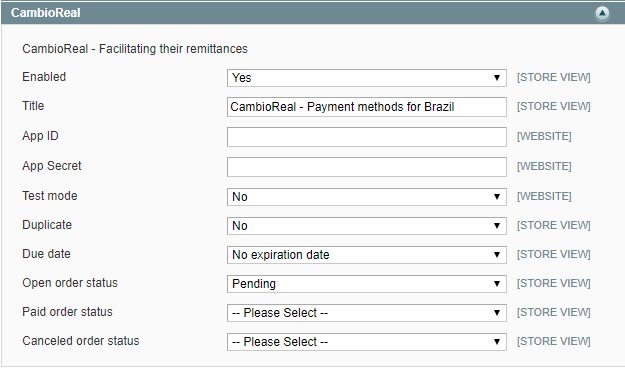
3. Update the extension settings
3.1. Enable the CambioReal payment extension.
3.2. Add the App ID and App Secret you received in your e-mail from CambioReal.
3.3. Perform the other settings as needed and you're done! The CambioReal payment module will be fully operational.
Understand every item on the configuration page in the list below :
- Enabled: CambioReal can be used as a payment method or not.
- Title: Identifier for this payment method on checkout.
- App ID: Unique Public Key.
- App Secret: Unique Secret key, keep it safe and do not expose this information.
- Test mode: No for Production mode and Yes for Test mode (sandbox).
- Duplicate: Allow to generate another transaction after expiration.
- Due date: The day by which a product must be paid.
- Open order status: The status when a order is still open.
- Paid order status: The status when a order has already been paid.
- Canceled order status: The status when a order has been canceled.
Magento 2
This section's content:
CambioReal Magento 2 Extension
Version: 1.2.1
Compatibility: For Magento 2.0/2.1/2.2
Compatibility: For Magento >= 2.3
1. Setup
1.1. Access CambioReal for business Dashboard.
1.2. Go to Integration.
1.3. Then click on the Direct API tab.
1.4. Fill in the fields with the corresponding data.
- Developer name: Person responsible for integrating magento with cambioreal.
- Developer e-mail: The e-mail we will send instructions and credentials.
- Select the bank account in which you would like to receive your payments: All payments made through this button will be sent to this account.
- Select the type of address to restrict access from your website to our API: The authentication will be made via ip or hostname/domain of your website. E.g.: Website IP: 54.208.129.87 / Website Hostname: cambioreal.com
- Notification URL: It is through this url that our server will send a notification informing that your transactions status changed in our payment system. Format: https://{YOUR_SITE}/cambioreal/payment/notify
1.5. Click on the Create API access button.
2. Install the extension
2.1. Download the CambioReal Magento 2 extension and extract its contents to the root folder of your Magento installation.
2.2. Open the terminal from the Magento 2 folder and run the following commands:
php bin/magento setup:upgrade
php bin/magento setup:static-content:deploy
php bin/magento indexer:reindex
2.3. If it’s necessary, you have to flush the cache at System > Cache Management, by clicking on the button "Flush Magento Cache".
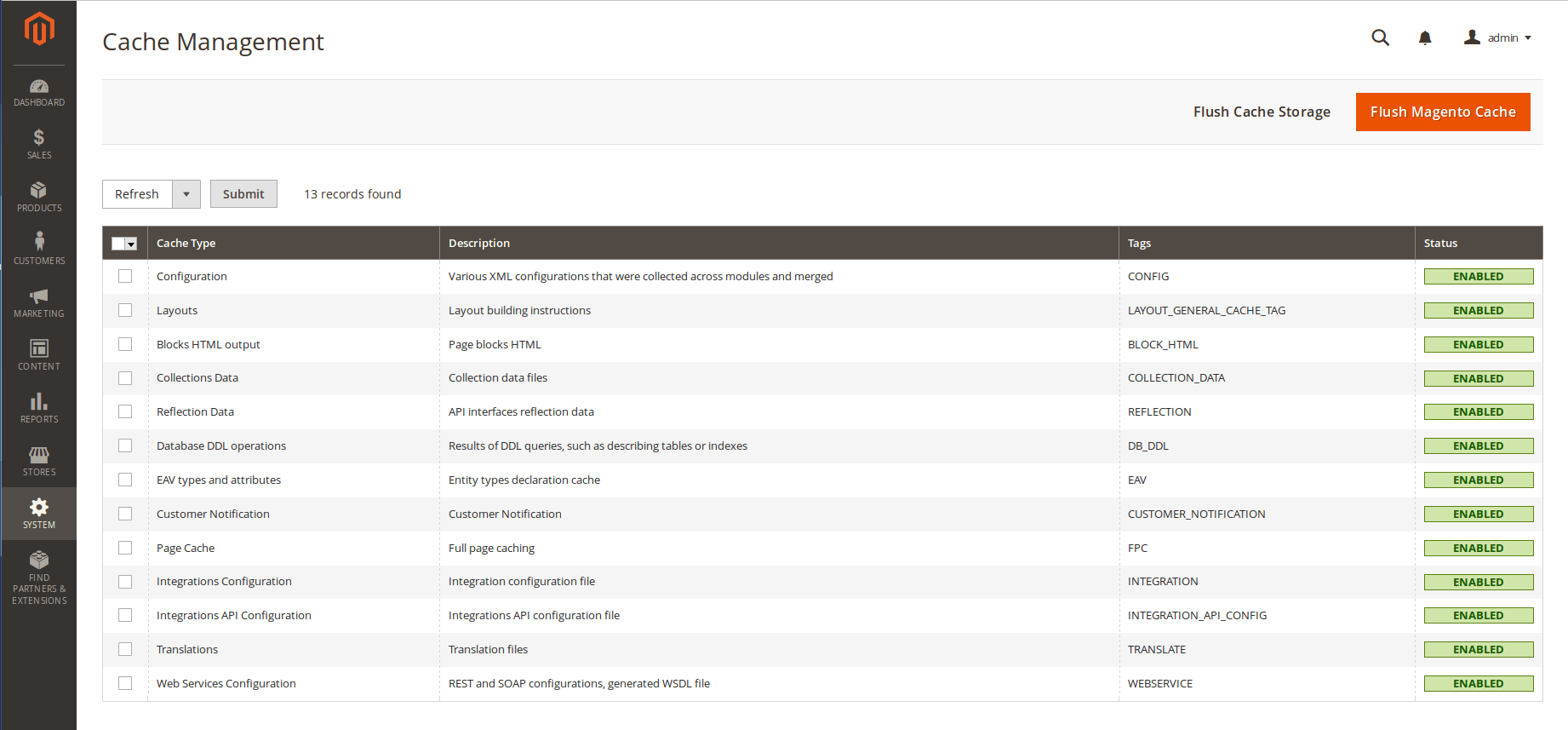
2.4. If everything was done correctly, you will see CambioReal settings at System > Configuration > Sales > Payment Methods > CambioReal.
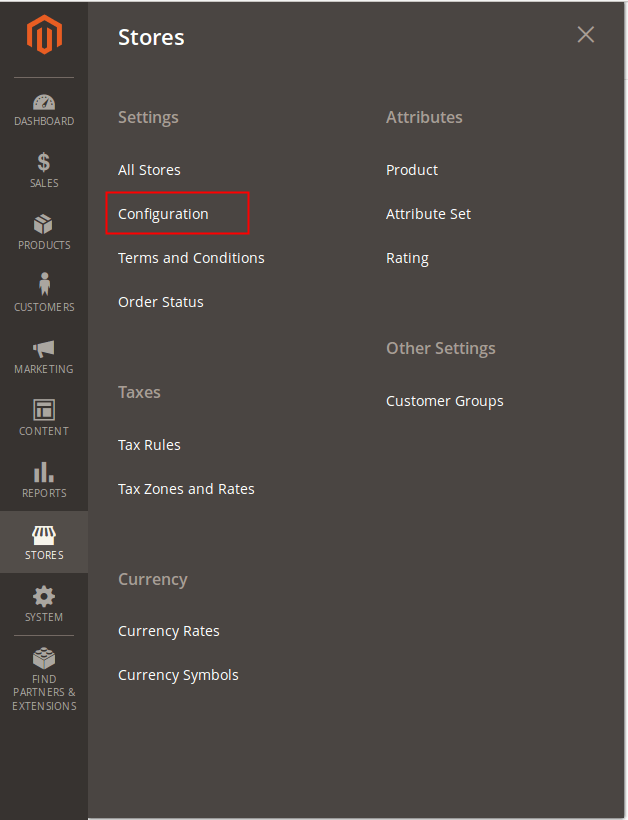
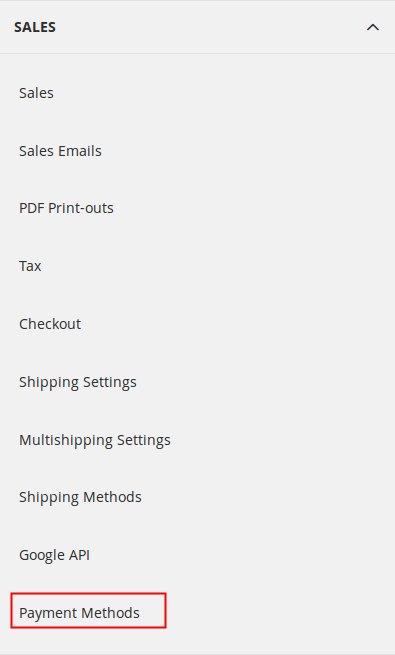
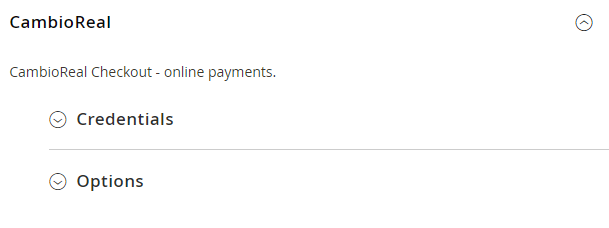
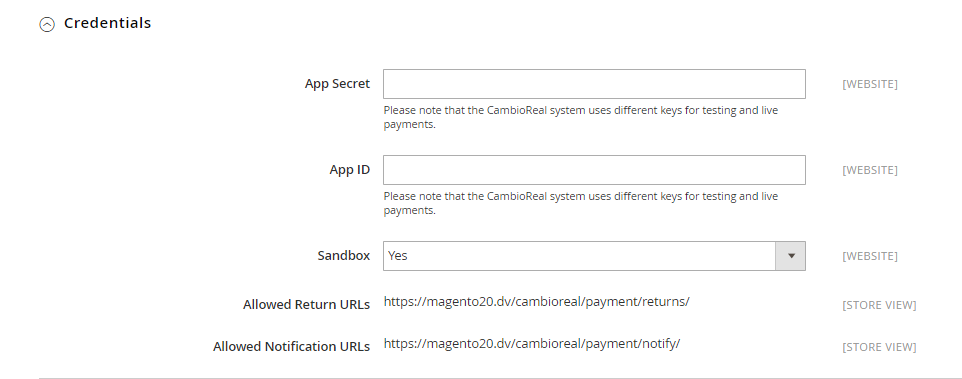
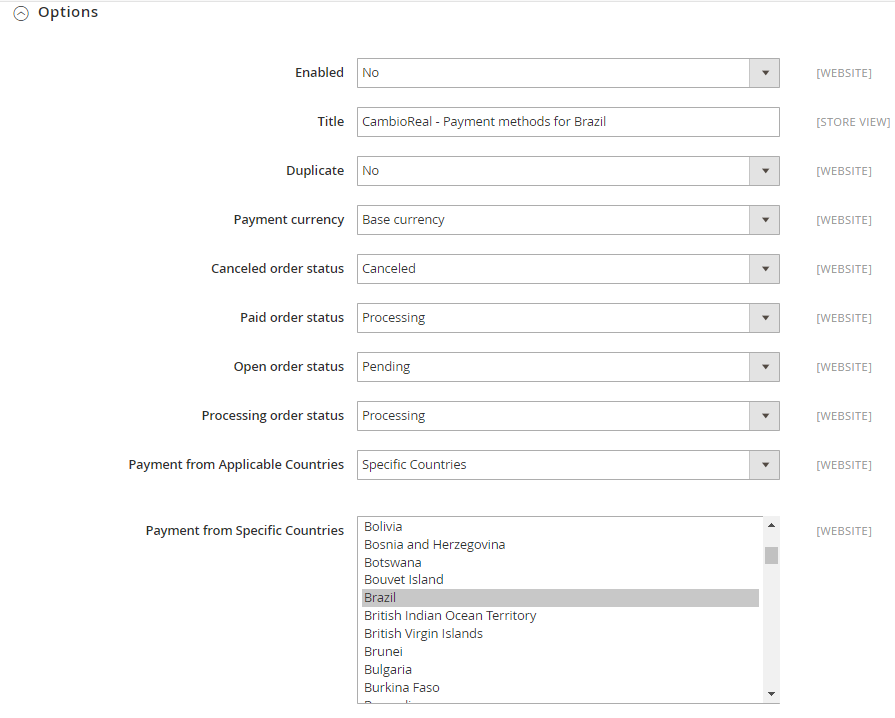
3. Update the extension settings
3.1. Enable the CambioReal payment extension.
3.2. Add the App ID and App Secret you received in your e-mail from CambioReal.
3.3. Change the other settings as needed.
Understand every item on the configuration page in the list below:
Credentials
- App Secret: Unique Secret key, keep it safe and do not expose this information.
- App ID: Unique Public Key.
- Sandbox: No for Production mode and Yes for Sandbox mode.
- Allowed Return URLs: Where the customer will be directed after the payment.
- Allowed Notification URLs: It is through this url that our server will send a notification informing that your transactions status changed in our payment system.
Options
- Enabled: CambioReal can be used as a payment method or not.
- Title: Identifier for this payment method on checkout.
- Duplicate: Allow to generate another transaction after expiration.
- Payment currency: Base currency is the currency your site works with internally and Frontend currency is the currency shown to the client when viewing a product.
- Canceled order status: The status when a order has been canceled.
- Paid order status: The status when a order has already been paid.
- Open order status: The status when a order is still open.
- Processing order status: The status when a order is being processed.
- Payment from Applicable Countries: Choose between all allowed countries or specific countries that CambioReal accepts payments.
- Payment from Specific Countries: If you chose specific countries in the previous option, you have to choose the countries you want to allow payments with CambioReal.
WooCommerce
This plugin creates the integration between the WooCommerce platform and CambioReal, and redirect customers for payment.
This section's content:
CambioCheckout WooCommerce plugin
Version: 2.1.3
Compatibility: For WooCommerce 3.0.0 or later
1. Setup
1.1. Access CambioReal for business Dashboard.
1.2. Go to Integration.
1.3. Then click on the Direct API tab.
1.4. Fill in the fields with the corresponding data.
- Developer name: Person responsible for integrating magento with cambioreal.
- Developer e-mail: The e-mail we will send instructions and credentials.
- Select the bank account in which you would like to receive your payments: All payments made through this button will be sent to this account.
- Select the type of address to restrict access from your website to our API: The authentication will be made via ip or hostname/domain of your website. E.g.: Website IP: 54.208.129.87 / Website Hostname: cambioreal.com
- Notification URL: It is through this url that our server will send a notification informing that your transactions status changed in our payment system. Format: https://{YOUR_SITE}/cambioreal/payment/notify
1.5. Click on the Create API access button.
2. Install the plugin
Follow this instructions to install CambioCheckout Payment Gateway on WordPress Woocommerce.
2.1. Download the CambioCheckout Woocommerce plugin.
2.2. Extract cambioreal.woocommerce.latest.zip file contents to the plugins folder (wp-content/plugins) of your Wordpress installation.
2.3. Enable the CambioCheckout payment plugin.
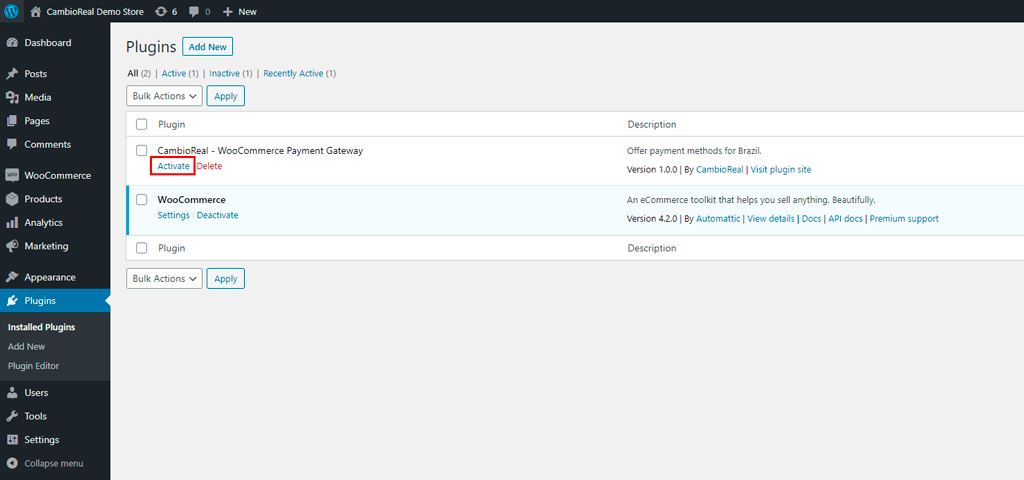
3. Update the plugin settings
3.1. Click Settings in the activated plug-in or on CambioCheckout in sidebar admin menu.
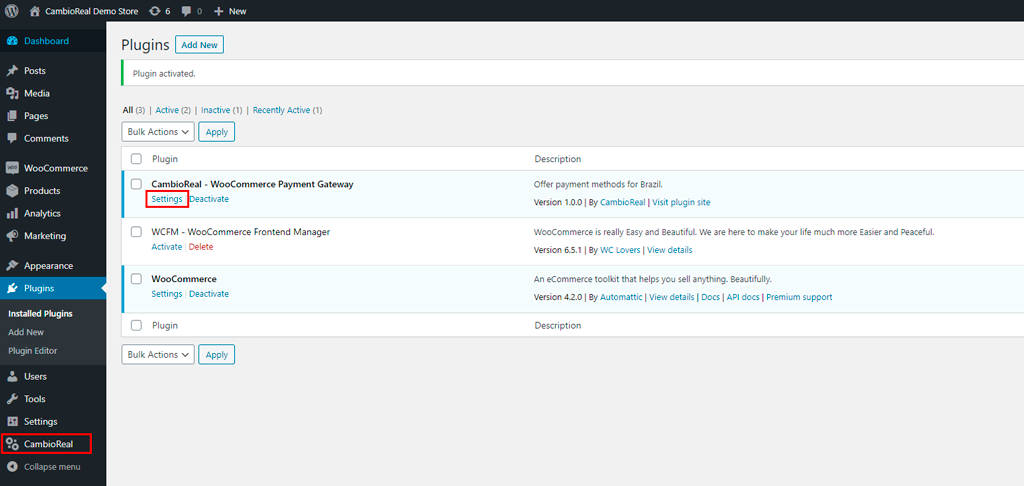
3.2. Add the App ID and the App Secret that you generated or received in your e-mail from CambioReal.
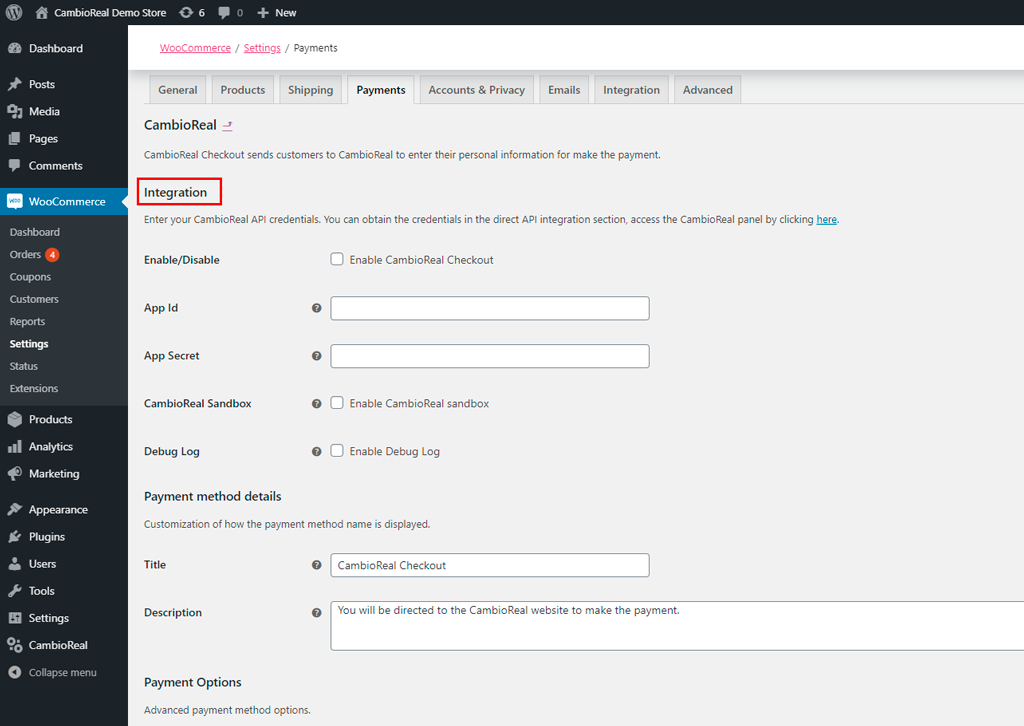
3.3. Change the other settings as needed.
Understand every item on the configuration page in the list below:
- Enable/Disable: CambioCheckout can be used as a payment method or not.
- API Credentials:
a. App ID: Unique Public Key.
b. App Secret: Unique Secret key, keep it safe and do not expose this information. - CambioReal Sandbox: This option enables sandbox mode and disables production mode. The CambioReal sandbox is used to test payments.
- Debug Log: This option allows Woocommerce to record all errors that occur when executing a transaction.
- Title: Identifier for this payment method on checkout.
- Description: Description to the payment method that the client will see on checkout along with the title.
- Duplicate: Allow to generate another transaction after expiration without the customer having to create another order in the system.
- Take Rates: No fees will be charged from the customer (includes iof). They will be discounted from the business final payment.
- Show cart simulation: This option shows in the cart the exchange rate and the value with IOF to be paid by the customer at the checkout of CambioReal.
Before exiting make sure you saved the changes.
4. Woocommerce Settings
In some cases, Woocommerce orders automatically expire after some period if not paid. This happens if inventory management is enabled on the platform, to get around this problem, you must disable the "Hold stock" timeout or increase it to a considerable amount of time. But beware, boletos can take up to 3 business days to be paid, so if you are using this payment method, it is important to disable this Woocommerce automation.